
ContentsLog a past outing or correct one
At the pontoon
Log a past outing or correct one
Log a forgotten outing from the boathouse screen or the logbook, and correct an outing in progress or finished. The app checks times and crew.
- Where to find it
- Boathouse › Log past outing, Logbook › Log past outing and the pencil on each outing in the Logbook
- Available since
- version 2.1 (2026)
- Module to turn on
- None. The Outing types, Captain and Distances modules add their fields if they are on.
What it is for
Before version 2.1, an outing entered wrongly could only be deleted. Now a forgotten outing can be logged afterwards, and a mistake in the boat, the crew or the times can be fixed without starting again.
Three cases, one form
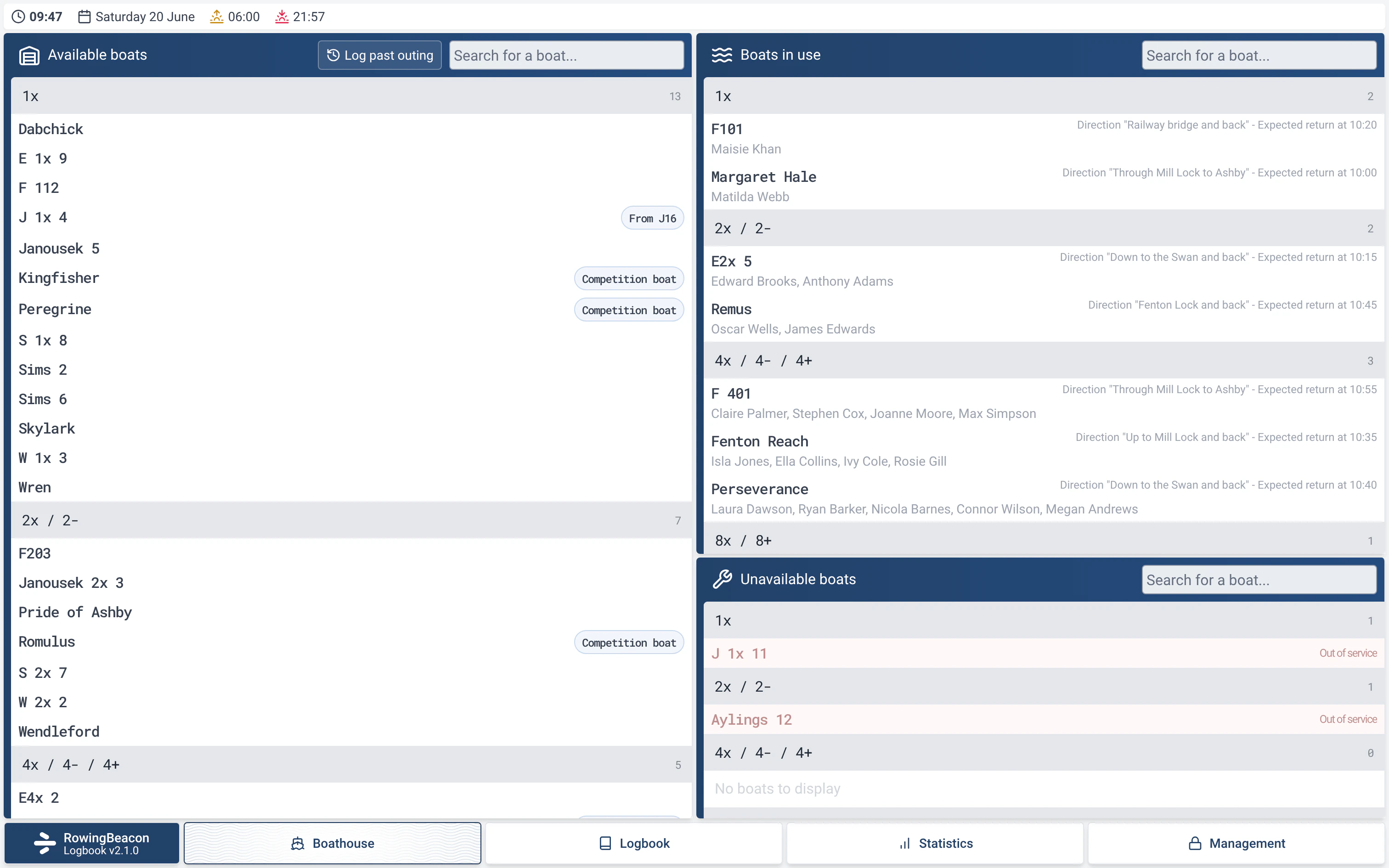
- Forgotten outing: the “Log past outing” button is in the header of the available boats and in the header of the “Session history”. It does not ask for the admin password.
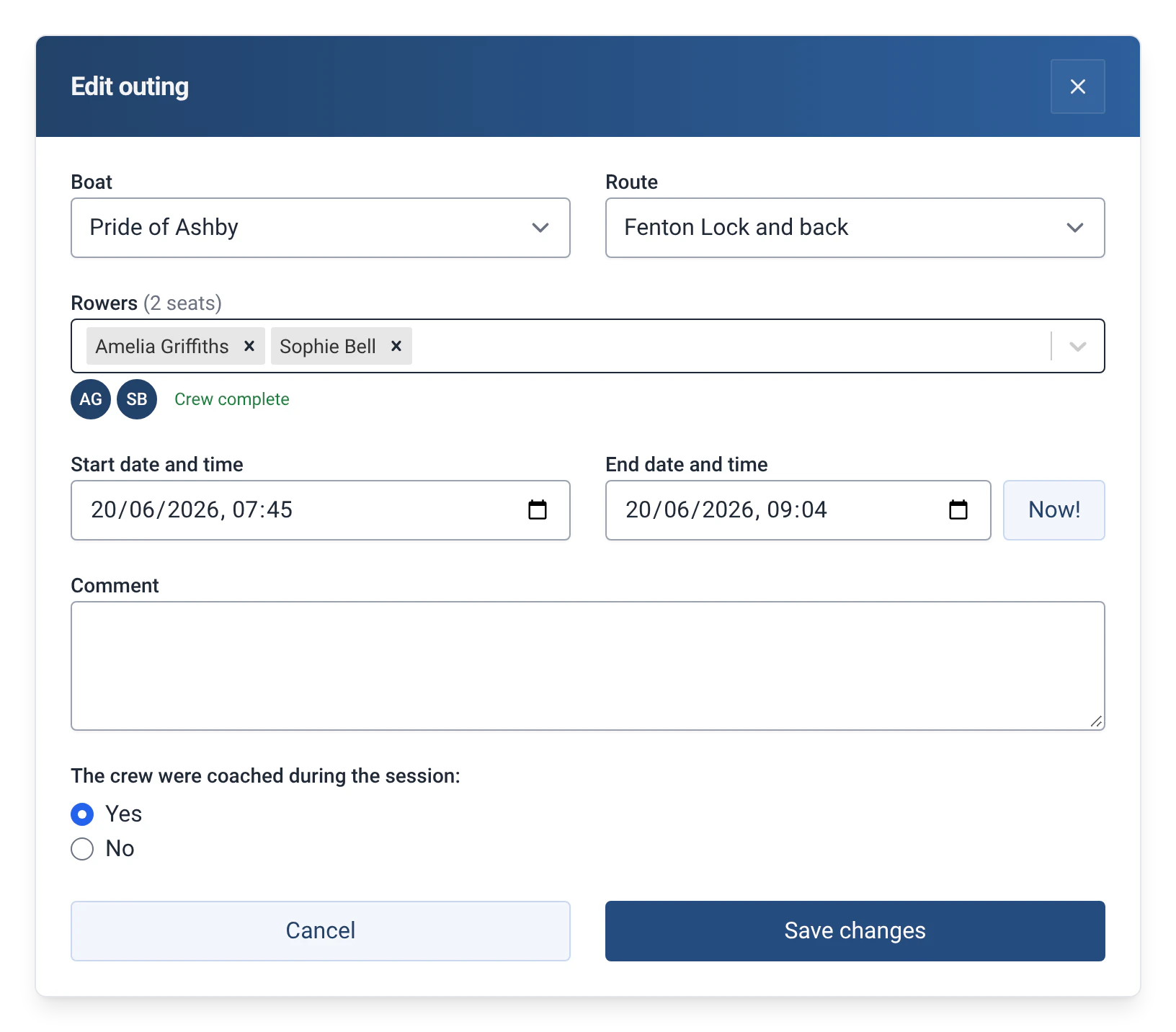
- Outing in progress to correct: the “Edit outing” link, at the bottom of the “Stop session” window, does not ask for it either.
- Finished outing to correct: the pencil next to the bin, in the logbook, asks for the admin password, like deletion.
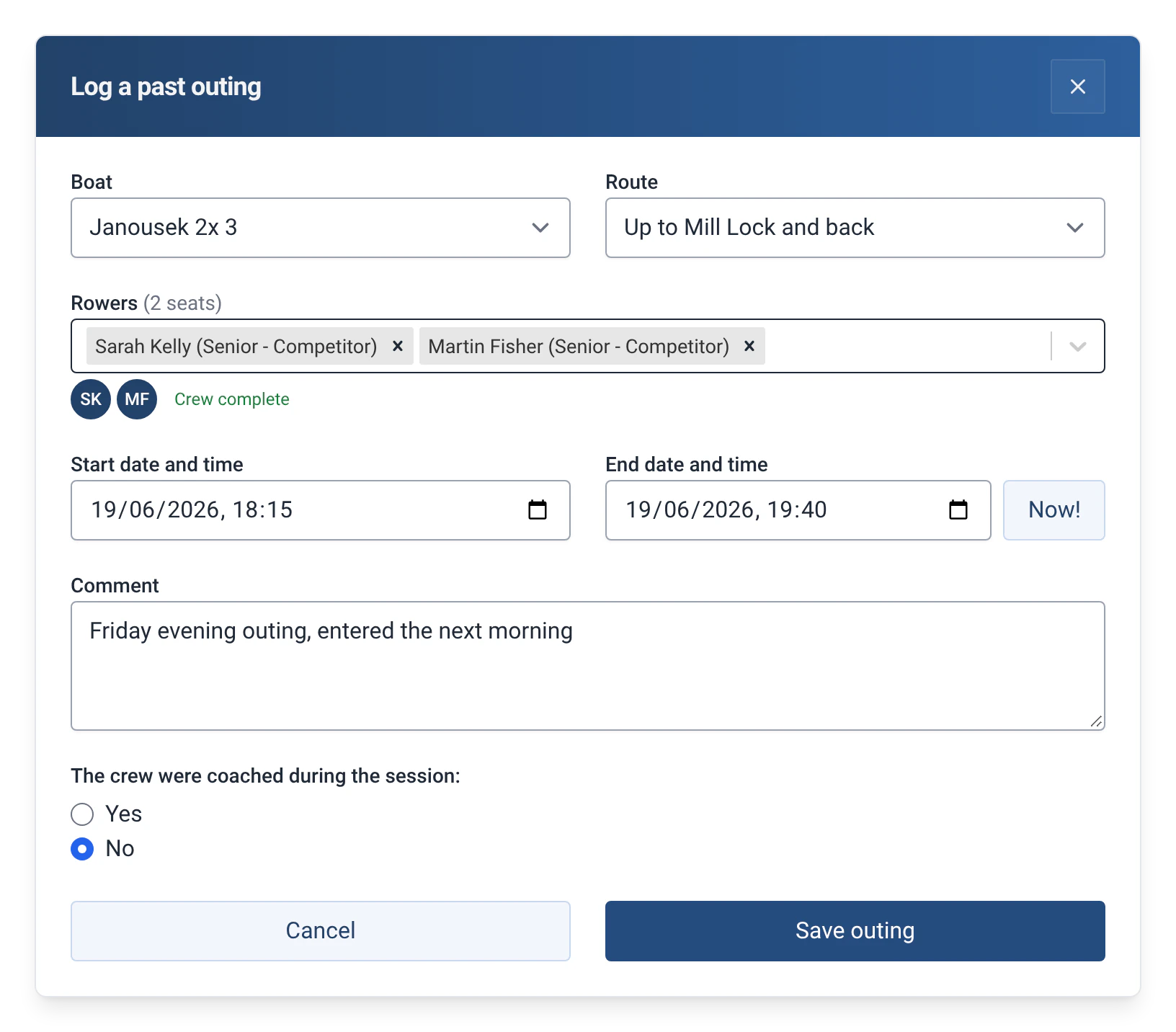
- You can change the boat, the rigging, the route, the rowers, the cox, the times, the coaching and the comment, as well as the outing type, the captain and the distance if those modules are on.
How to use it
- For a forgotten outing, click “Log past outing” in Boathouse or in Logbook. The form suggests a one-hour outing that ends now: adjust the date and time of the start and the end.
- Choose the boat, the rigging if there are several, the route, the rowers and the cox. Answer the question about coaching and add a comment if needed.
- Confirm with “Save outing”. The app confirms: “The outing was added to the history”.
- For an outing in progress, click the boat in the right-hand column of the Boathouse, then “Edit outing”. The form shows the “Expected return” in place of the end time. Confirm with “Save changes”.
- For a finished outing, click the pencil on its line in Logbook, enter the admin password, make the correction, then “Save changes”.
- If the app detects a problem, it shows it in red and blocks saving, or offers “Fix” or “Save anyway”, depending on the case.
The checks when saving
| Situation | What the app does |
|---|---|
| The end is before the start | Blocks: “End date must be after start date”. |
| No rowers | Blocks: “Select at least one rower.” |
| The start is in the future | Blocks: “The start of the outing cannot be in the future.” The end cannot be either. |
| The same person is picked twice | Blocks: “The same person is picked twice in the crew.” |
| An outing in progress is moved to a boat that is already out | Blocks: “This boat is already out.” |
| The number of rowers does not match the boat’s seats | Warns, for example “You have entered 4 person(s) on board, cox included”, with “Save anyway”. |
| The boat or a rower is already on another outing at the same times | Warns: “The boat “F101” is already on another outing at these times.”, with “Save anyway”. |
Limits and details
- Every correction is recorded in a change log in the database. The app does not display it yet.
- Rowers’ levels and the boat’s state (out of service, reserved) are not checked: the outing has already taken place. See also Level system.
- A corrected outing keeps its original rigging, even if it has been archived since.
- You cannot report an incident or a damage from this form. A damage is reported afterwards from the logbook, see Boat damage reports.
- No password is asked to add a past outing: anyone at the pontoon can do it. Correcting or deleting a finished outing stays reserved for the club officials.
- An outing imported from efa2 and corrected is exported to efa2 correctly. If you change its year, it moves to that year’s logbook, with a new number. See Switching from efa2, and back.