
ContentsAutomatic updates
The club computer
Automatic updates
RowingBeacon looks for new versions, shows their release notes and backs up the club’s data before installing. The club stays in control.
- Where to find it
- Management › Miscellaneous settings › Updates
- Available since
- version 2.1 (2026)
- Module to turn on
- None.
What it is for
Get fixes and new features into the club without downloading an installer again, and without any risk to the outing history.
The app never installs anything on its own: a new version is announced, and the club’s official decides.
What the app does
- It looks for a new version at start-up, then every 6 hours. Without an Internet connection, it carries on working as before.
- A new version is announced once per launch, with a discreet message at the pontoon: “Rowing Beacon 2.1.0 is available”, with the “See the update” button.
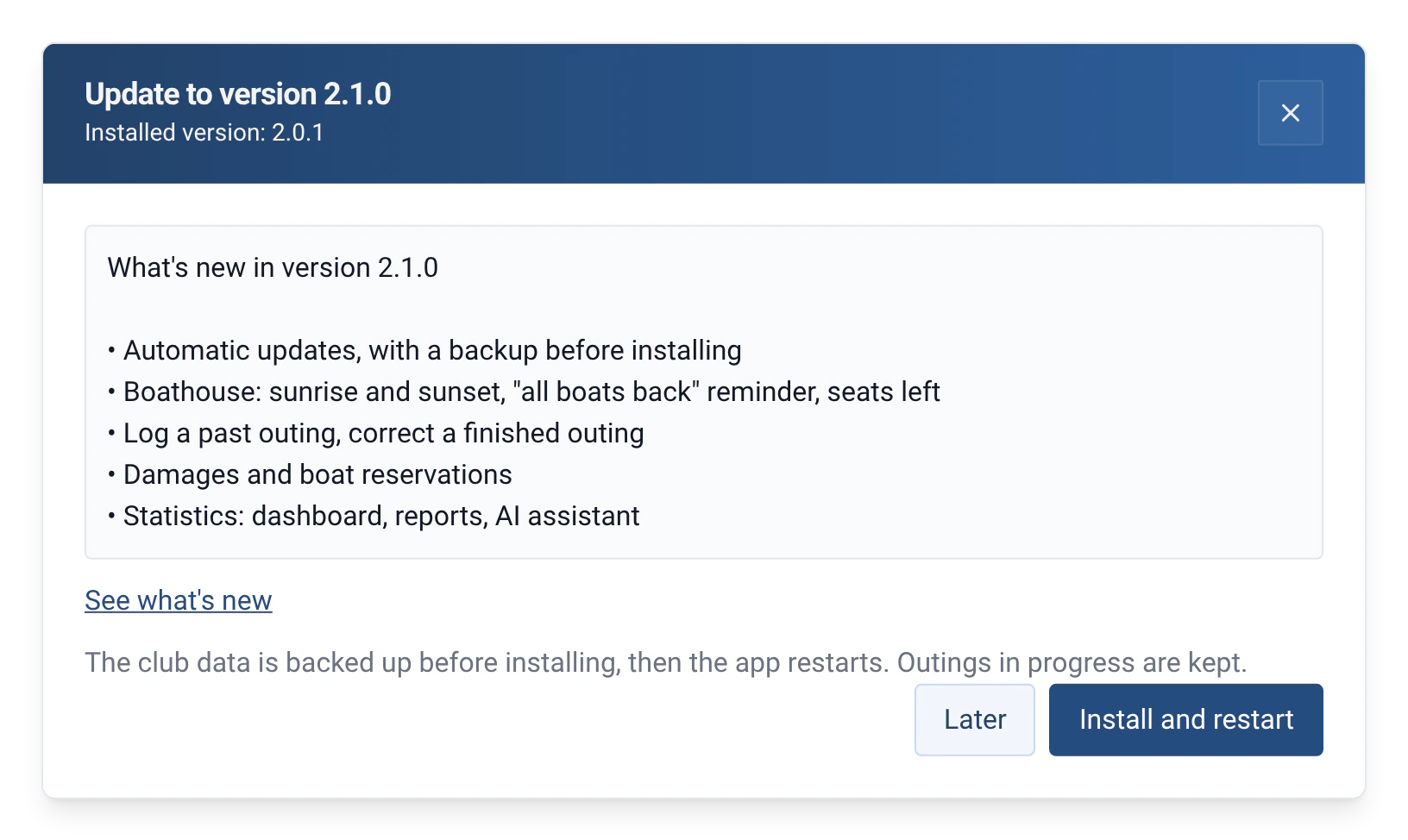
- The “Update to version …” window shows the release notes, and a “See what’s new” link to the website, in the app’s language.
- A backup is made just before installing, so it includes outings logged during the download. If it fails, nothing is installed: “The backup failed: the update was not installed.”
- Outings in progress are kept during the restart.
How to use it
- Once only, if the club is on version 2.0.1 or earlier: those versions cannot update themselves. Install version 2.1.0 by hand, from the download page, over the old one: the club’s data stays in place. Later updates will be made from within the app.
- To check by hand, open Management › Miscellaneous settings, “Updates” section: it shows the “Installed version” and the “Check for updates” button. The app answers “Rowing Beacon is up to date”, or the button becomes “See the update”.
- Read the release notes, then choose “Later” or “Install and restart”.
- From the pontoon message, the app asks for the admin password before installing. From Management, it has already been entered.
- The app downloads the update (“Downloading: 42%”), backs up the data, installs, then restarts on the new version.
- If it fails, it stays on the current version and says so: “The update failed. Rowing Beacon stays on its current version.”
Limits and details
- The check only downloads a small file describing the latest version. No club data is sent. It is abandoned after 30 seconds without an answer, and a download after 30 minutes.
- Every version is signed. The app refuses to install an update that is not.
- Windows: the installer is an .exe file; there is no longer an .msi file. If version 2.0.1 was installed with the .msi, uninstall it before installing version 2.1.0: your data stays on the computer.
- Windows: if the installer does not start, for example because of the antivirus, the app stays closed. Relaunch it by hand: the data is intact, and the “Before an update” backup exists.
- Linux: an AppImage kept in a read-only folder cannot replace itself. Move it to a folder that can be modified, or download the new version.
- There is no macOS version, so no update for macOS.
- The “Before an update” backup can be restored in the new version. Going back to the old version means reinstalling it. See Automatic backups.
- Windows may show a security warning when installing, because the installer is not yet widespread enough to be recognised. See Installation in minutes.