
ContentsLogging outings
At the pontoon
Logging outings
Rowers pick their boat, route and crew from lists, and one button fills in the end time on return. A forgotten outing can be logged afterwards.
- Where to find it
- Boathouse
- Available since
- the first versions (2024); seats left and logging after the fact in version 2.1 (2026)
- Module to turn on
- None
What it is for
Replace the line in the paper logbook, and see at any moment which boats are on the water, with whom, and when they are due back.
Quick to fill in at the pontoon
- The start time is already filled in with the current time. You only change it to log an outing after the fact.
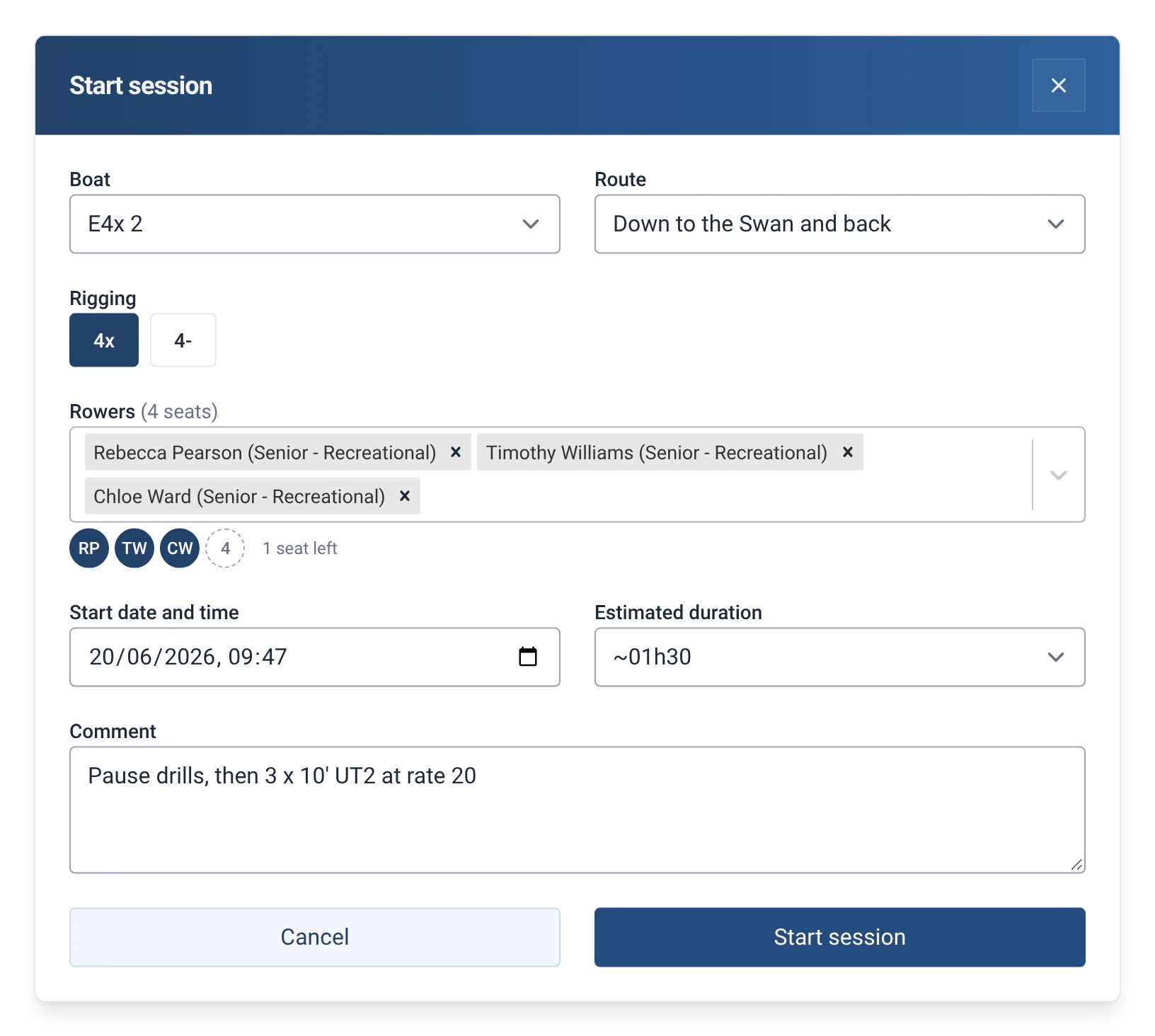
- To add a rower, type a few letters of their first or last name. The search ignores accents and capital letters, and names that start with the letters typed come first.
- Each rower’s category and level appear next to their name, for example “Senior - Recreational”.
- The same person cannot be picked twice, for example as both rower and cox.
- A boat that is already on the water cannot be taken a second time. If a rower has already gone out in another boat, the app points it out and asks for confirmation.
- The estimated duration is chosen from a list, in 15-minute steps up to 3 hours. The expected return time then appears on the boathouse screen, next to the boat.
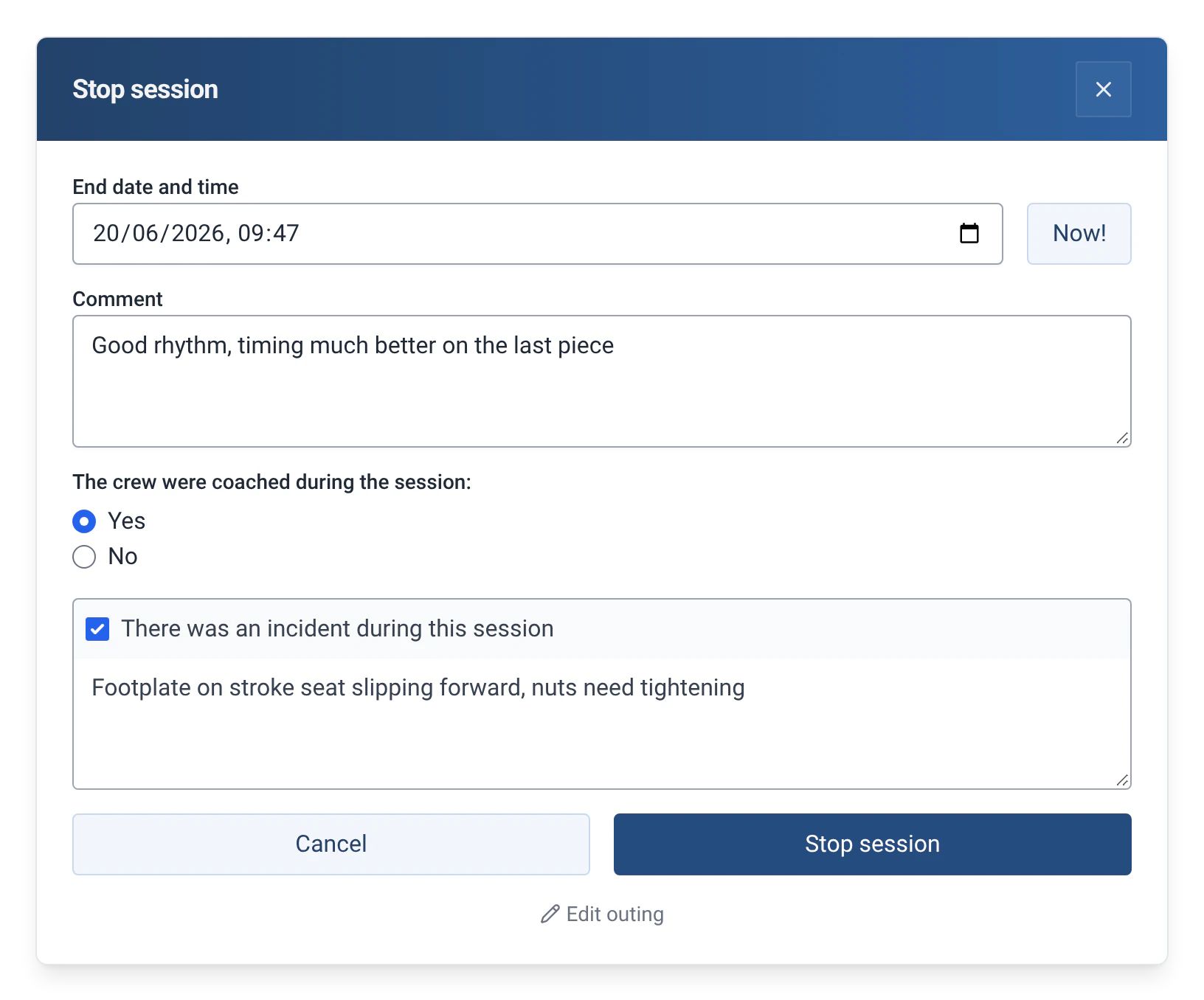
- On return, the “Now!” button fills in the end time.
- Under the list of rowers, a line shows the seats left in the boat, for example “2 seats left · Cox missing”. See Boathouse sun times and reminder.
- A boat that is out of service cannot go out. If it has a less serious damage report, this is shown at departure.
How to use it
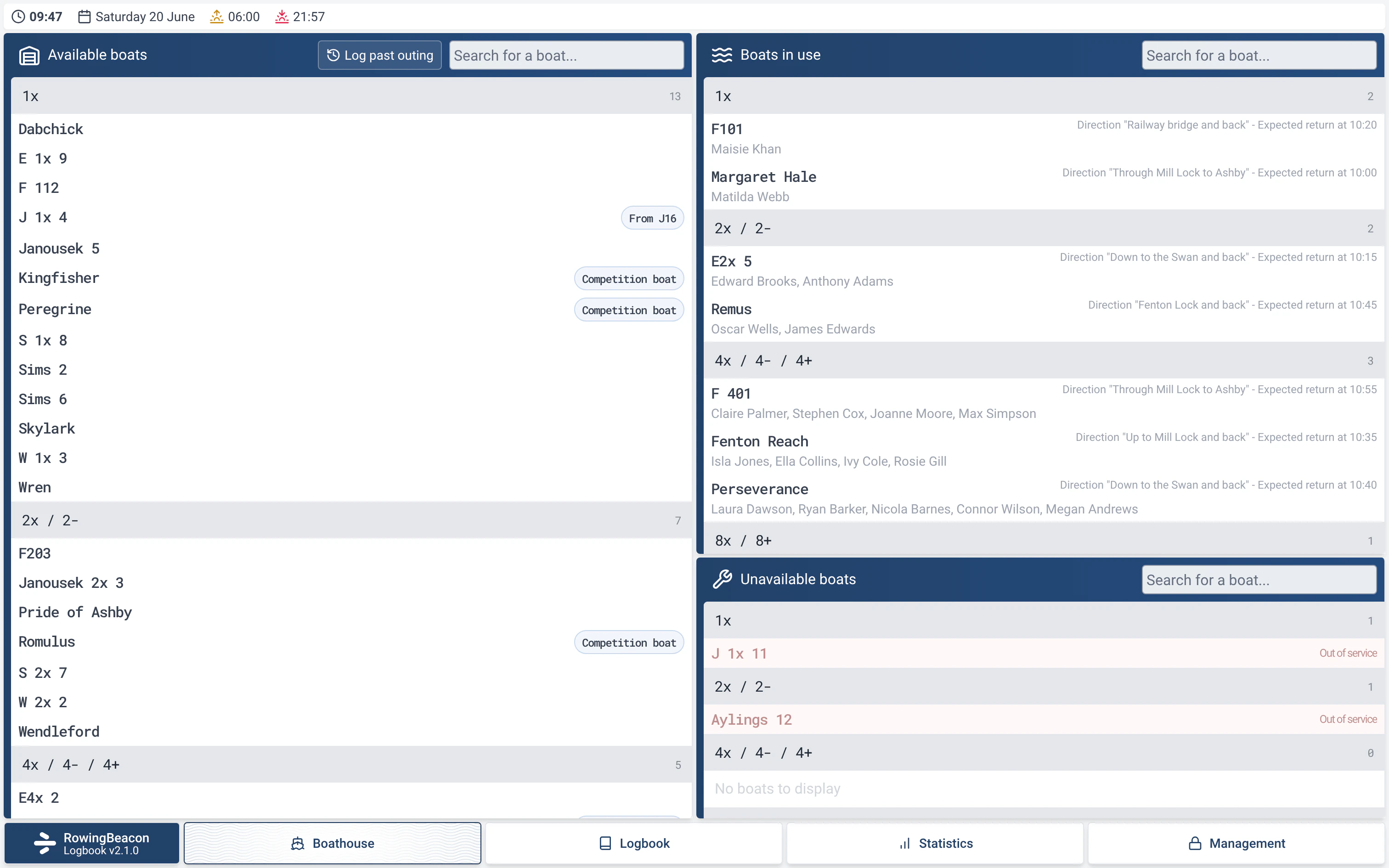
- The Boathouse screen has two columns: “Available boats” and “Boats in use”. Boats are grouped by type (1x, 2x / 2-, 4x / 4- / 4+, 8x / 8+, Other / Unclassified), and each column has its own search.
- Click an available boat. In the “Start session” window, choose the route, the rowers and the estimated duration, then add a comment if needed.
- Confirm with the “Start session” button. The boat moves to the right-hand column, with its crew, its route and its expected return time.
- When the crew is back, click the boat. In “Stop session”, the “Now!” button fills in the end time. Say whether the outing was coached, report an incident if there was one, then confirm with “Stop session”.
- An outing that was forgotten or entered wrongly can be logged or corrected afterwards, with “Log past outing” and “Edit outing”. See Log a past outing or correct one.
Settings
- Route: optional (“No route”). With the Distances module, the route’s distance is pre-filled on return and can still be changed.
- Estimated duration: used to work out the expected return time. You can choose “No estimation”.
- Cox and rigging: see Cox and riggings.
- Related modules: Outing types, Guests and Captain add fields to this window. Reservations and Damages add a warning when the boat is reserved or damaged.
Limits and details
- The list of rowers is entered once, in Management. See Rowers, boats and routes.
- If a boat requires a certain level, the app can warn or block the departure. See Level system.
- An outing entered by mistake can be corrected or deleted from the logbook, with the admin password. See The outing logbook.