
ContentsStatistics
For club officials
Statistics
A dashboard, 29 reports, a printable annual report, SQL queries and an optional AI. Rower and boat pages stay in Management.
- Where to find it
- Statistics for the club, Management › Rowers and Management › Boats for the detail, Management › Statistics and AI for the settings
- Available since
- v1.0 (December 2024); Statistics hub redesigned in version 2.1 (2026)
- Module to turn on
- None. A few reports need a module (Distances, Outing types, Guests or Damages).
What it is for
See who rows, how much, in which boats and at what times. Spot the boats that are little used, tell whether the fleet is big enough, and prepare the AGM or a grant application.
The figures are calculated from the outings logged at the pontoon: there is nothing to count or copy out. Everything happens on the club computer, without Internet. Only the optional AI assistant needs it.
Since version 2.1, the Statistics screen is a hub with four tabs. A rower’s or a boat’s statistics have not moved.
The four tabs of the hub
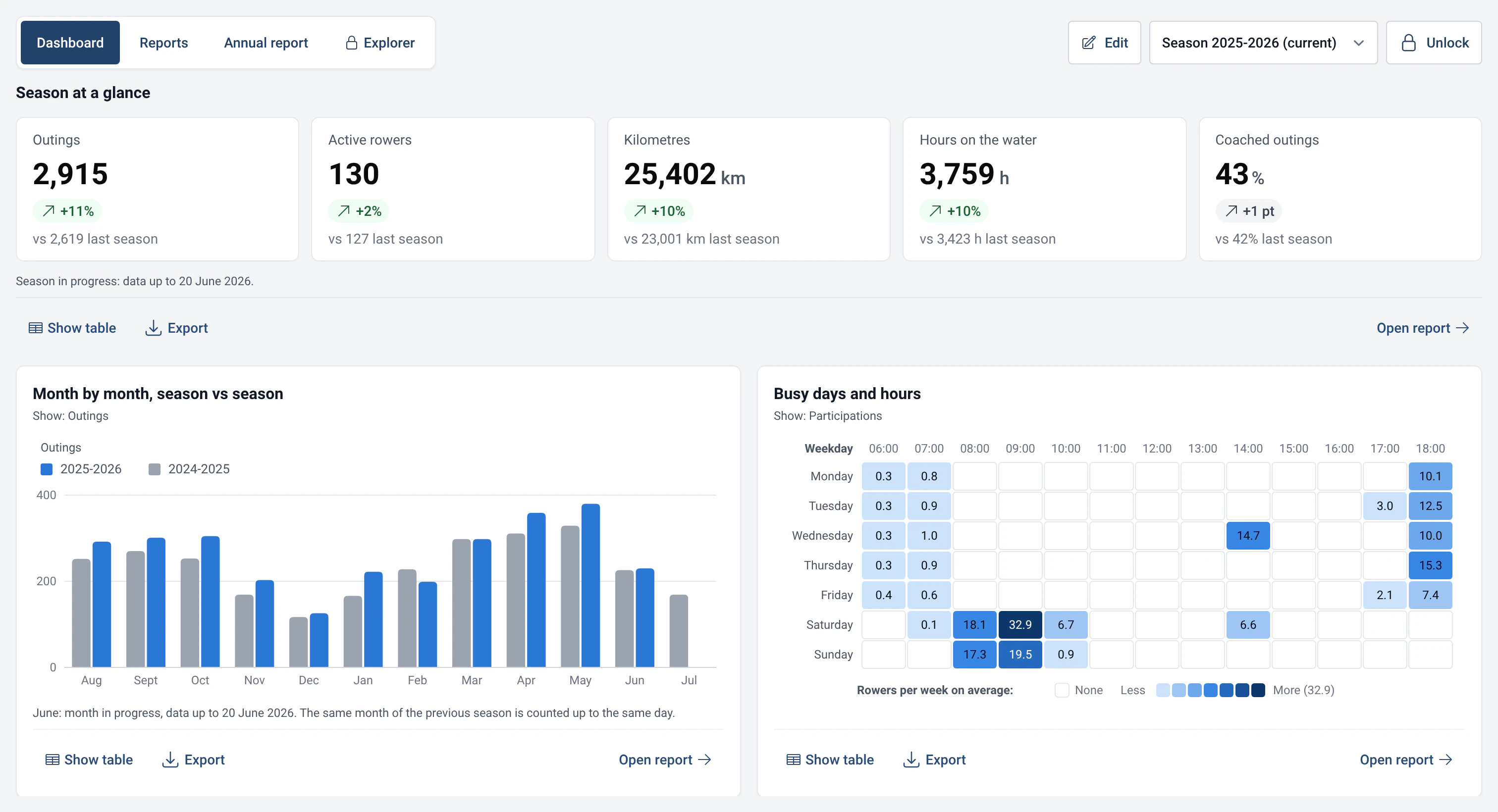
- Dashboard: the season’s key figures, six cards offered to start with and those you pin. See Customisable dashboard.
- Reports: 29 ready-made reports, sorted by theme, with a search. See The 29 statistics reports.
- Annual report: a document of a few pages to print or save as a PDF, for the AGM. See Printable annual report.
- Explorer: a read-only SQL editor, a data dictionary and the AI assistant, reserved for officials. See Read-only SQL Explorer and AI assistant and MCP server.
- Season: the “Season” selector at the top of the page applies to every tab. The season starts in August by default; the month can be changed in Management › Statistics and AI (September, January…).
- Password: anyone can read the dashboard, the public reports and the annual report. The “Unlock” button (admin password) opens the Explorer, the reports that show names and the editing functions. The hub locks again after 15 minutes without activity, and when you leave it.
Settings
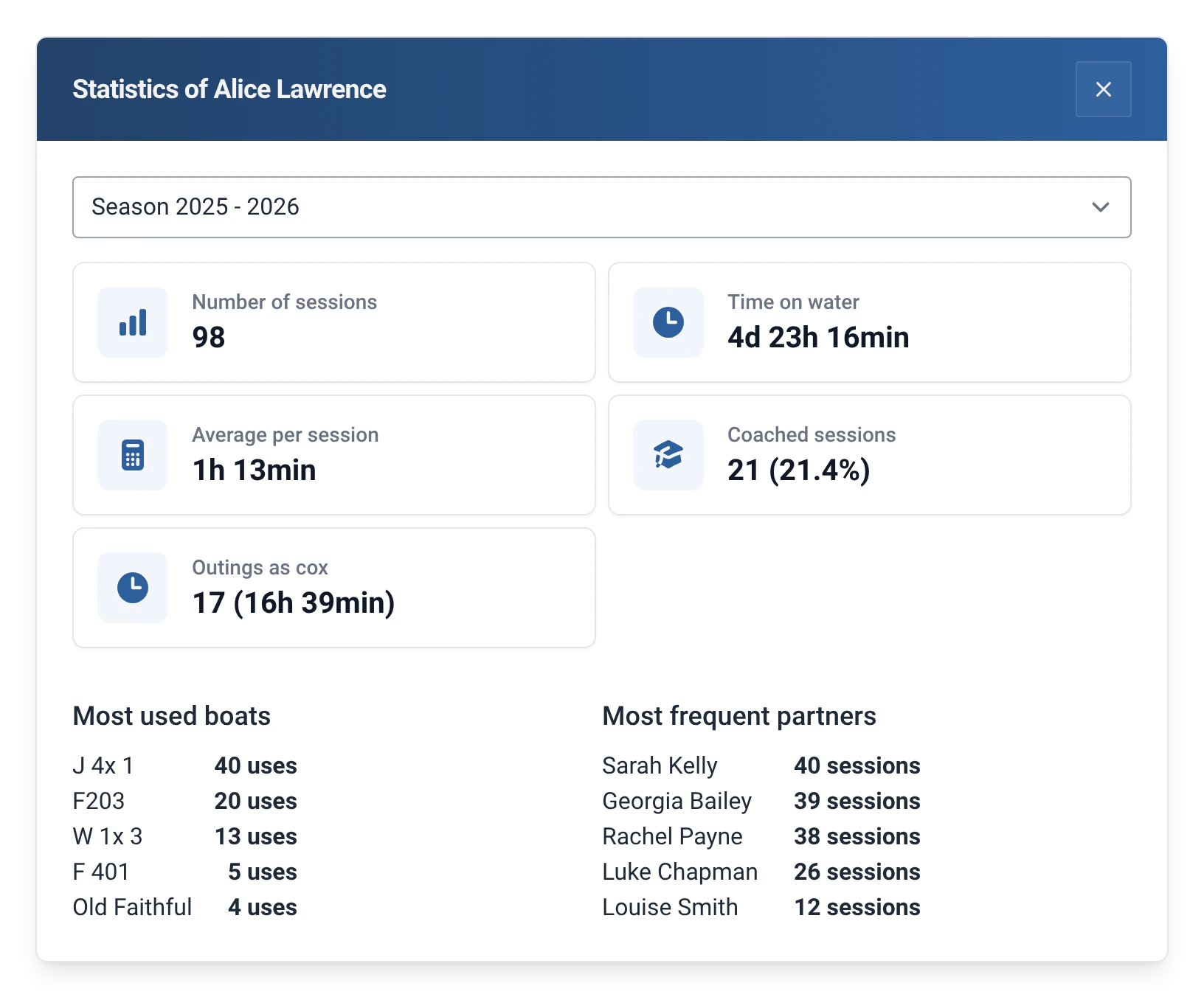
- Rower, in Management › Rowers: “Number of sessions”, “Time on water”, “Average per session”, “Coached sessions”, “Most used boats” and “Most frequent partners”. Since v2.0, “Outings as cox” are counted too.
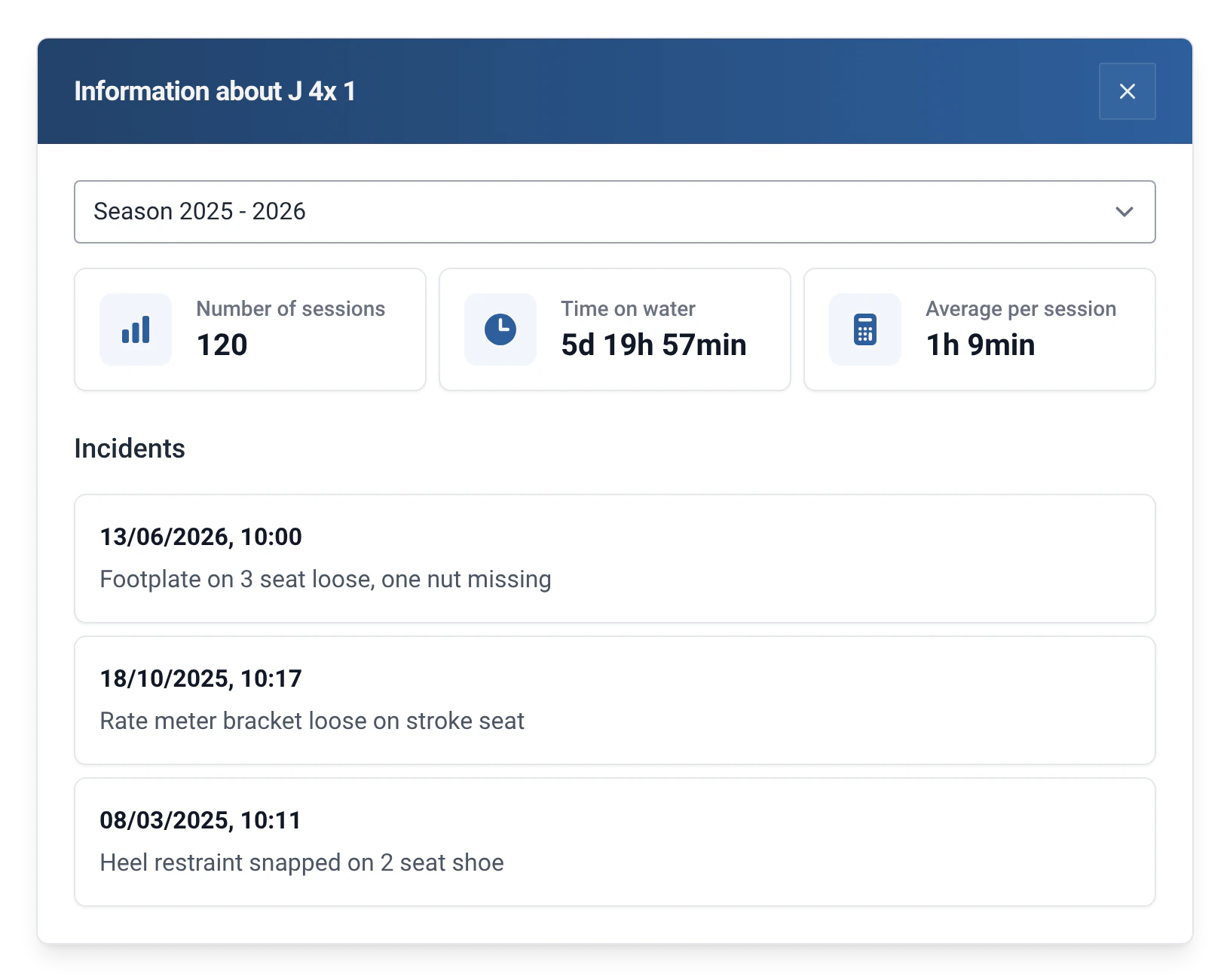
- Boat, in Management › Boats: number of sessions, time on water, average per session and the list of its incidents.
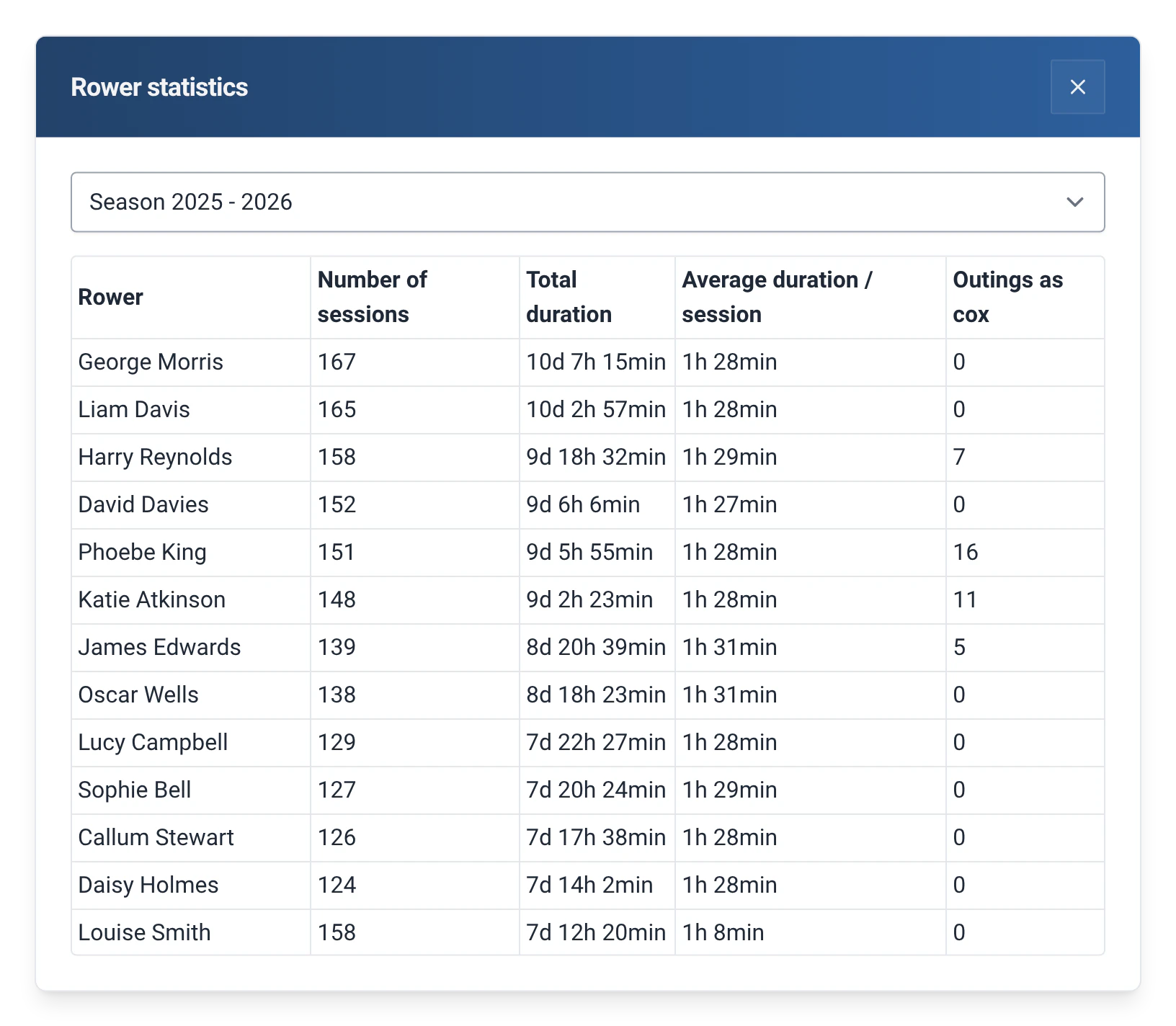
- Comparisons: the “Rower statistics” and “Boat statistics” buttons open a table of all rowers or all boats, with the number of sessions, the total duration and the average duration per session.
- Hub settings, in Management › Statistics and AI: season start month, rankings with names at the boathouse, the AI assistant, the AI app (MCP) and performance.
Limits and details
- The rower and boat pages in Management are protected by the admin password, like the rest of Management. The Statistics hub, on the other hand, is open to everyone at the pontoon.
- Boats and rowers that you exclude from statistics in their record are not counted in any report.
- With the Distances module, kilometres are added to the reports. Without it, the reports that need them say so and offer to turn the module on.
- To work in your spreadsheet, export the history (see Exporting outings) or export a report as CSV or Excel.