
ContentsCustomisable dashboard
For club officials
Customisable dashboard
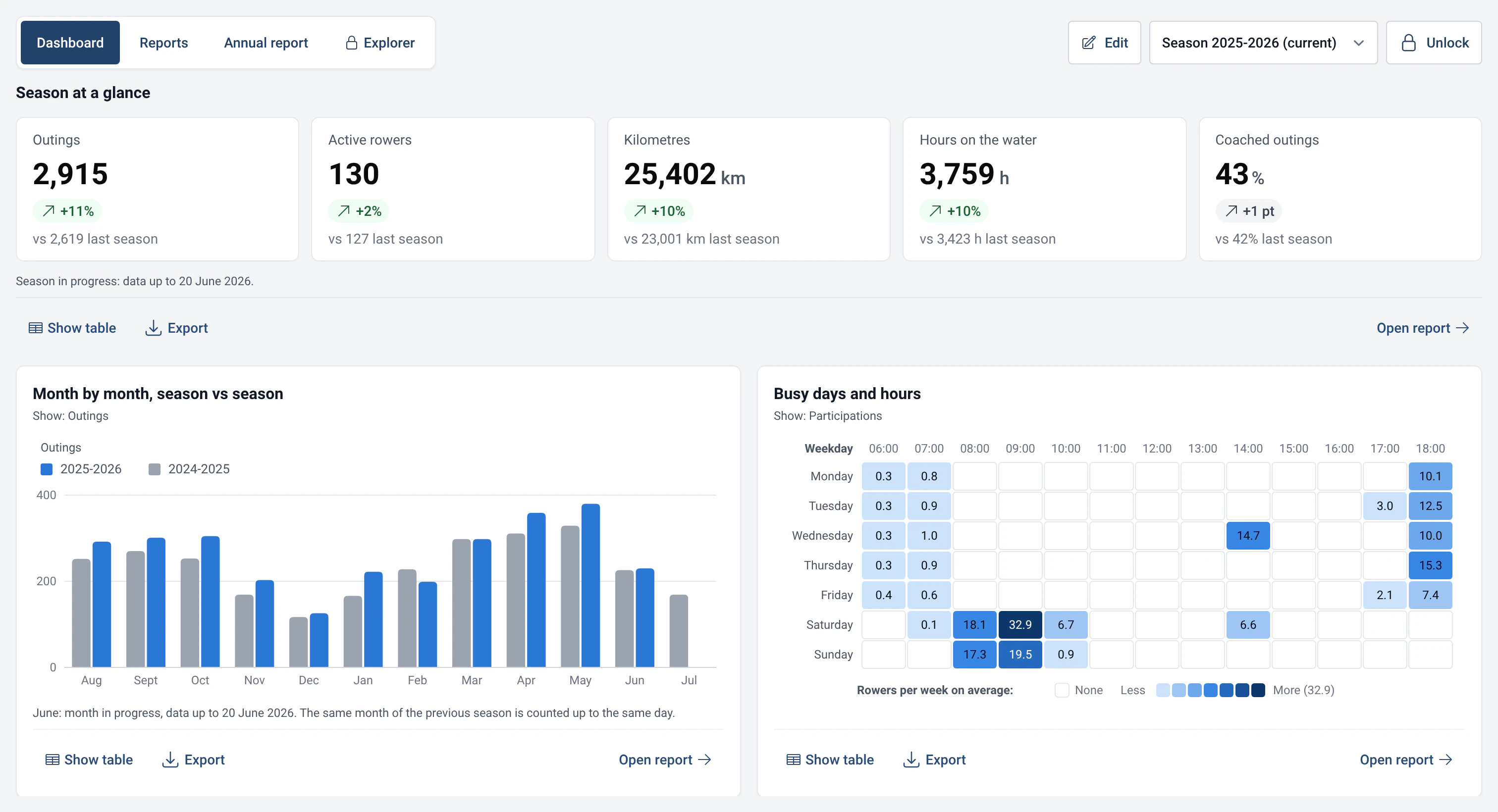
The statistics dashboard shows the cards you choose: key figures, rankings, busy times. Pin, move and resize them to follow what matters to your club.
- Where to find it
- Statistics › Dashboard
- Available since
- version 2.1 (2026)
- Module to turn on
- None.
What it is for
Have the figures that matter to the club in front of you as soon as you open Statistics: those of the chosen season, compared with the previous one.
Each card is a pinned report. You add, move or remove cards according to what the club wants to follow. The screen can also be read on the boathouse touchscreen.
What you get
- Six cards are offered from the first visit: “Season at a glance”, “Month by month, season vs season”, “Busy days and hours”, “Boat usage ranking”, “Active and new rowers per month” and “Outings by boat class and month”.
- A card holding a long list shows the start of it and says so, for example “The first 7 of 40”. The “Open to see all” button opens the full report.
- Each card follows the season chosen at the top of the page, or stays on a fixed season, for example “Always season 2024-2025”.
- The buttons are large enough for a 1024 × 600 pixel touchscreen, like that of a boathouse computer.
How to use it
- Open Statistics › Dashboard. To change the cards, click “Edit” and enter the admin password.
- In edit mode, each card offers “Move earlier” and “Move later” to reposition it, “Size” (“One third”, “Half” or “Full width”) and “Remove”. Changes are saved at once. Click “Done” to leave edit mode.
- To add a card, open a report (Reports tab) and click “Pin to dashboard”. In the box that opens, choose “Follow the chosen season” or a fixed season, the size, then who can see the card at the boathouse. Confirm with “Pin”.
- A card removed by mistake can be brought back with “Undo”, straight afterwards. “Reset to the default dashboard” puts the six starting cards back.
Settings
- Who sees the card at the boathouse: “Visible to everyone at the boathouse” or “Officials only”. A card for officials stays locked until the password is entered.
- Rankings with names: a ranking that shows rowers’ names is only visible without a password if you have allowed it in Management › Statistics and AI (“Rankings”). Remember to tell your members.
- Explorer queries: you can also pin a saved query. It stays reserved for officials, because a query can show names. See Read-only SQL Explorer.
- Customised chart: if you changed the chart type before pinning, the card keeps that chart.
Limits and details
- While there are no outings, the dashboard shows no empty charts but a single message: “No statistics yet”. The cards appear as soon as the first outings are logged at the boathouse, or after importing an efa2 history (see efa2 compatibility).
- A dashboard with no cards shows “The dashboard is empty”, with a button to browse the reports and another to go back to the starting cards.
- A card whose report needs a module that is off, or whose data does not exist yet, appears as “Card unavailable” with the reason, instead of an empty chart.
- Cards are moved with buttons, not drag and drop: it is more reliable by finger on a touchscreen.