
ContentsBoat damage reports
For club officials
Boat damage reports
Report a damage with its severity, follow it through to repair and warn the crew at departure. Damage reports from efa2 are carried over.
- Where to find it
- Logbook › Damages; module to turn on in Management › Modules
- Available since
- version 2.1 (2026)
- Module to turn on
- Damages. Turned on by the “Full club” profile and by an efa2 import that contains damage reports.
What it is for
Know which boat is damaged, what is wrong with it and until when, and make sure the crew knows before going out. The damage report stays open until someone declares it repaired.
A damage report is not an incident. An incident is an event reported when an outing ends; a damage report is the state of the boat, which lasts until it is repaired. An incident can lead to a damage report. See Reporting an incident.
In the app
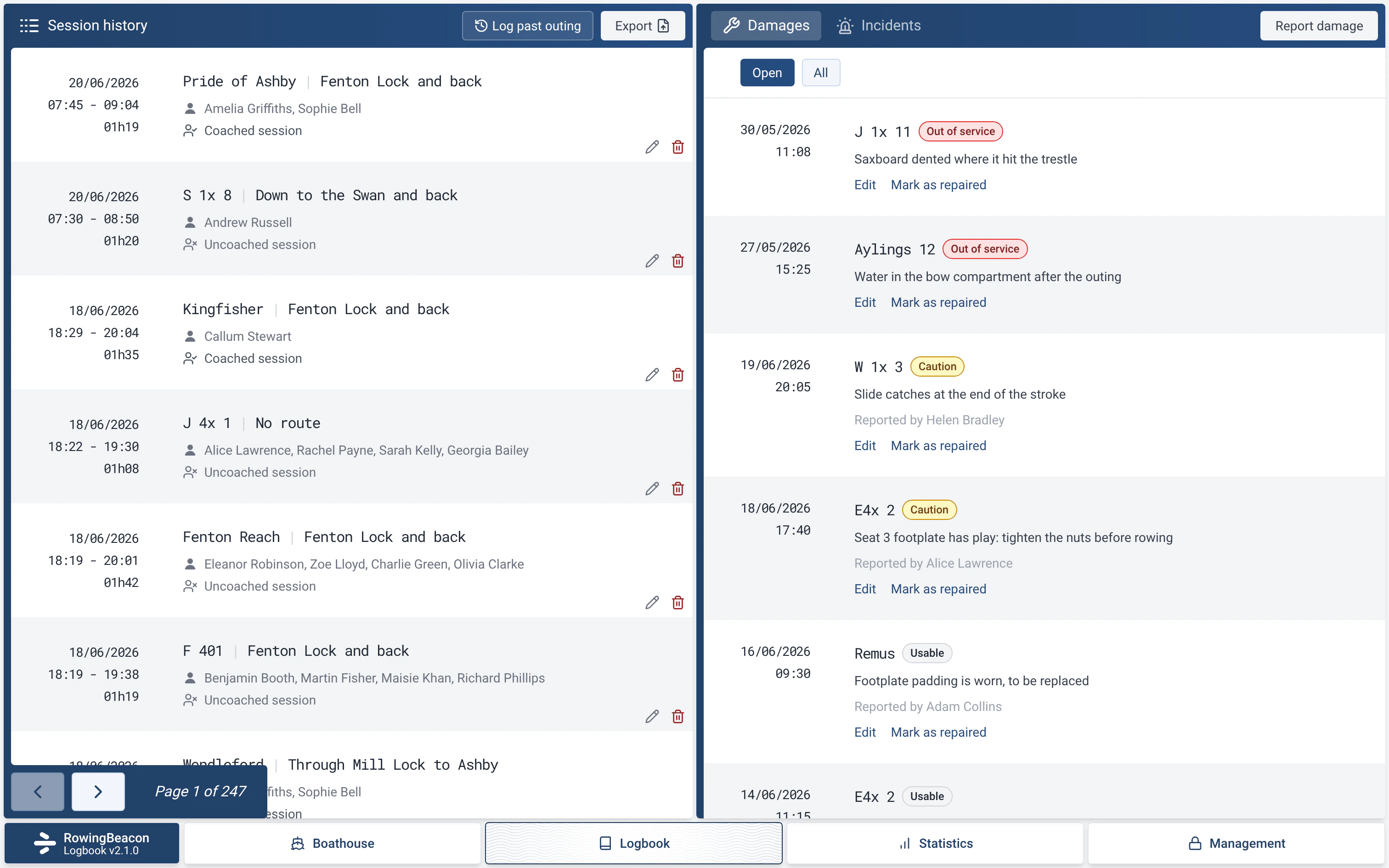
“Adds a Damages tab to the logbook, damage reports from an incident or a boat's page, a warning at departure for damaged boats, and each boat's damage history.”
What the pontoon sees
- A boat that is “Out of service” cannot go out: the app answers “This boat is out of service.” It leaves the list of available boats and goes into “Unavailable boats”, with the damage description.
- A boat with a less serious damage report stays available, with a small warning triangle on its line. Hovering over it shows the severity and the description.
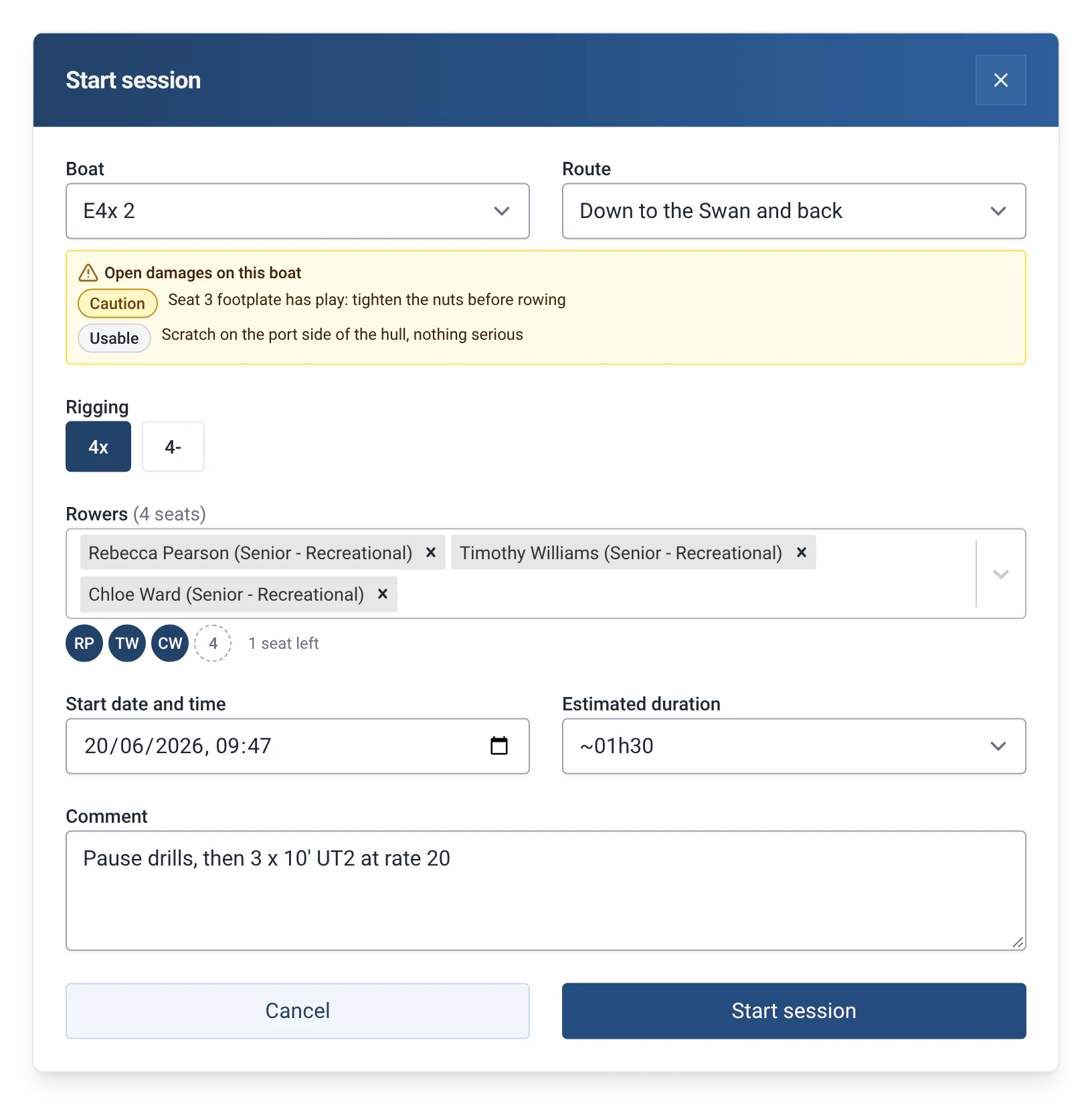
- At departure, a yellow box, “Open damages on this boat”, lists the damage reports and their severity. It informs; it does not block.
- On return, just tick “The boat is damaged” and choose the severity: the damage report is created, linked to the incident and the outing.
How to use it
- Turn on the module: Management › Modules, with the admin password, then “Damages”. The “Damages” tab appears next to “Incidents”, in the right-hand part of the Logbook. Without the module, ticking an incident on return offers “Turn on “Damages”” or “No thanks”.
- When an outing ends, in “Stop session”: tick “There was an incident during this session”, then “The boat is damaged”, and choose the “Damage severity”.
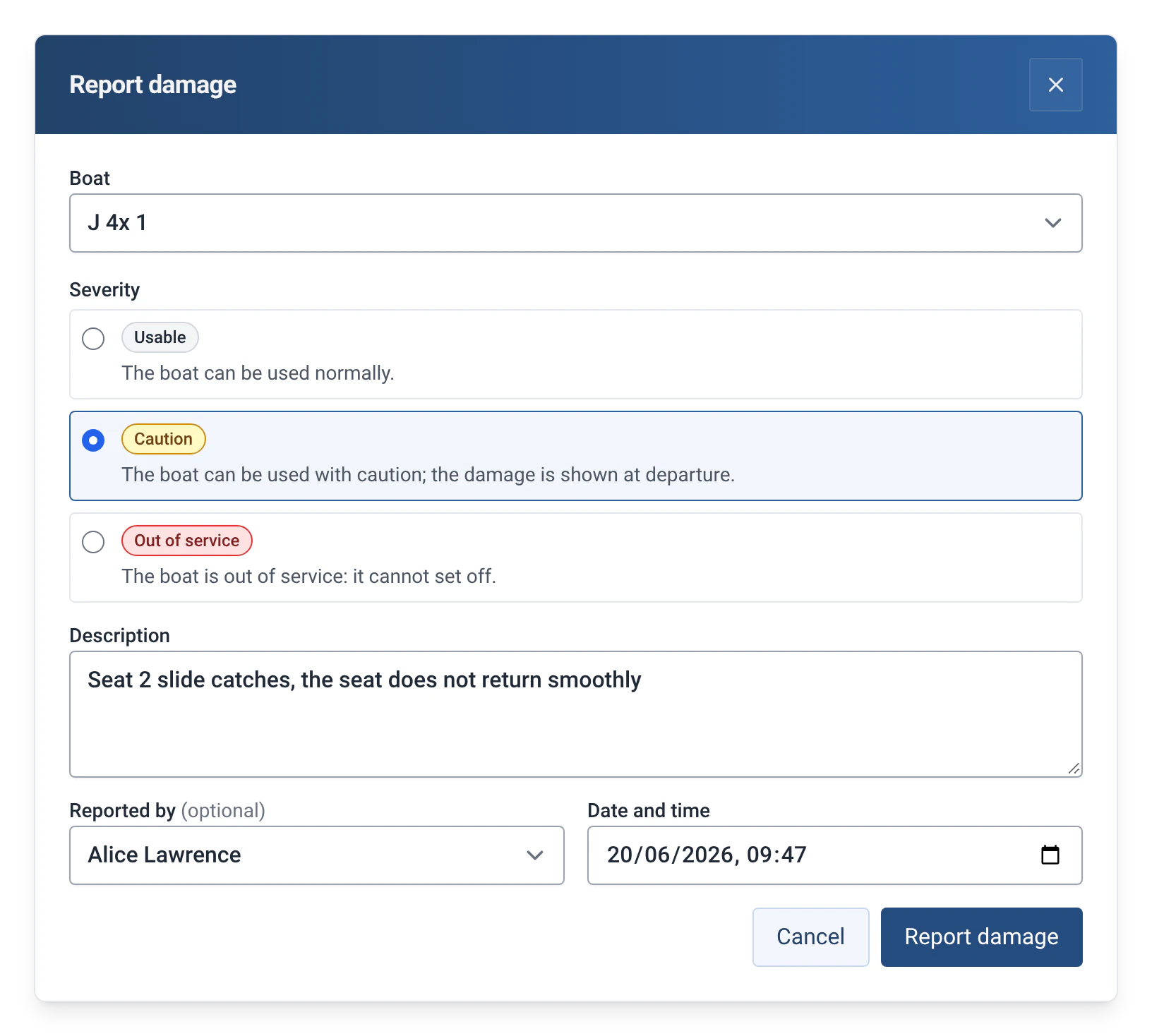
- From the logbook, the “Report damage” button in the “Damages” tab opens the form: “Boat”, “Severity”, “Description”, “Reported by” and “Date and time”. In the “Incidents” tab, the same button appears on every incident without a damage report: the boat, the description and the date are then carried over. A boat’s page, in Management › Boats, also lets you report a damage.
- To follow the damage reports, the “Open” filter shows those still to be repaired, and “All” the history. Each line offers “Edit” and “Mark as repaired”.
- “Mark as repaired” asks for the “Repair date and time”, “Repaired by”, a “Repair note” and a “Cost”. A repaired damage report can be reopened with “Reopen”.
- To take a boat out of use without any damage, for example for the winter or a loan, tick “Out of service” on the boat’s page (Management › Boats). The “Put back in service” button gives it back to the rowers.
Settings
- Severity: “Usable”, “Caution” or “Out of service”. It is chosen when the damage is reported, and changed with “Edit”.
- Repair: date and time, name of the person, note and cost. This information is optional.
The three severities
| Severity | Effect at the pontoon |
|---|---|
| Usable | The boat can be used normally. The damage is noted: grey triangle on its line, mention at departure. |
| Caution | The boat can be used with caution. Yellow triangle on its line, warning at departure. |
| Out of service | The boat cannot go out. It moves to “Unavailable boats” until the damage report is marked as repaired. |
Limits and details
- Anyone can report a damage. Editing, repairing or reopening a damage report asks for the admin password.
- The block on an “Out of service” boat applies even if the module is off: the “Out of service” box on the boat’s page stays available. The warnings, tabs and history disappear with the module, without anything being deleted.
- While an “Out of service” damage report is open, the “Out of service” box on the boat’s page is locked. The damage report has to be marked as repaired to put the boat back in service.
- A boat’s damage history is in its statistics (Management › Boats), before its incidents.
- The cost is written without a currency, rounded to the penny. The date of the report cannot be changed.
- Deleting an outing does not delete its damage reports: they stay, detached from the outing.
- On a tablet, the description of a minor damage only appears when hovering over the indicator, so not by touch.
- efa2 compatibility: damage reports from an efa2 project, repaired or not, are imported with their severity, and unavailable boats with their reason. On export, damage reports go back to efa2 with their severity, and an out-of-service boat with no damage goes back as unavailable. A damage report imported from efa2 is not linked to an outing. See Switching from efa2, and back.
- When moving up to version 2.1, boats “in maintenance” become out-of-service boats, and the damage reports of an efa2 project imported with version 2.0 become damage reports, on first start.