
ContentsDistances and kilometres
At the pontoon
Distances and kilometres
Give each route a distance, have it filled in when the crew returns, and follow the kilometres rowed in the logbook, the statistics and the exports.
- Where to find it
- Management › Miscellaneous settings › Configure routes and Boathouse › Stop session; module to turn on in Management › Modules
- Available since
- v2.0 (October 2026)
- Module to turn on
- Distances. Turned on by the “Full club” profile and by an efa2 import where a route or an outing has a distance.
What it is for
Know how many kilometres the club rows, per boat and per rower, without anyone adding up the logbook by hand.
The distance is entered once for each route. On return it is filled in for the crew, who can change it if the outing was shorter or longer.
In the app
“Adds a distance to routes, a prefilled and editable distance when an outing ends, and kilometres in the logbook and statistics.”
What the pontoon sees
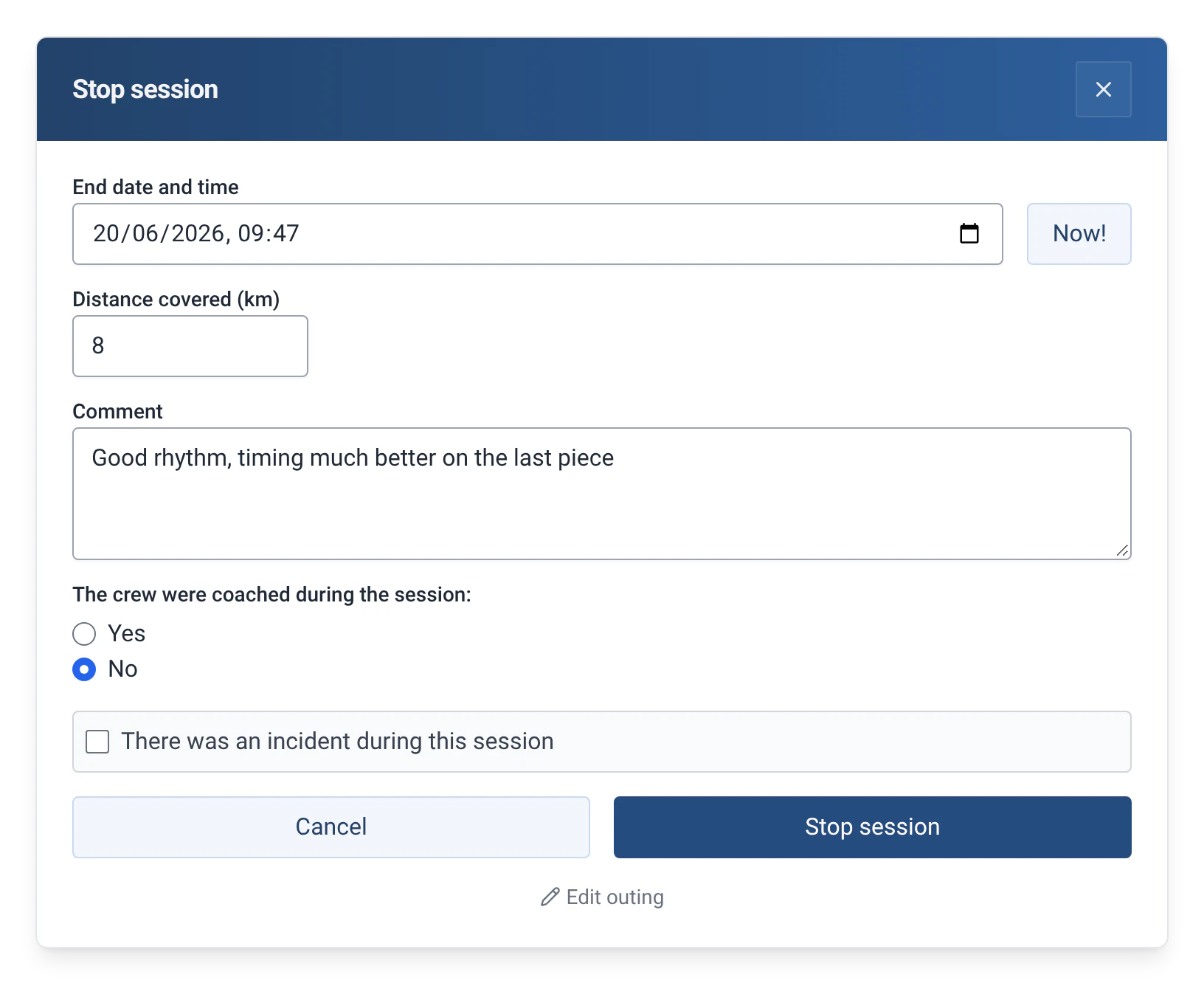
- On return, the “Stop session” window has a “Distance covered (km)” field, already filled in with the route’s distance. The crew leave it as it is or change it.
- An outing with no route has an empty distance, which can still be typed.
- The distance can be written 12, 12.5 or 12,5. If it is not a number, the app answers “Invalid distance: enter a number of km, for example 12.5.”
- In the logbook, the distance follows the route on the outing’s line, for example “Fenton Lock and back | 12 km”.
How to use it
- Turn on the module: Management › Modules, with the admin password, then “Distances”.
- Open Management › Miscellaneous settings › “Configure routes”. Next to the name of a new route, a “km” field appears: type the distance, then click “Add route”.
- For a route that already exists, click the pencil, type its distance and confirm with the tick. The routes are listed with their distance, for example “Fenton Lock and back · 12 km”.
- On return, in “Stop session”, check the “Distance covered (km)” field, or correct it, then confirm.
- When logging a past outing or correcting one, the same field is in the form. If you change the route and the distance was empty or was the old route’s, it follows the new route. See Log a past outing or correct one.
Where the kilometres appear
| Where | What you see |
|---|---|
| Logbook | The distance of each outing, after the route. |
| Statistics | The kilometres of the reports, such as “Season at a glance”, “Boat usage ranking” and “Outings per rower”, and the “Kilometer challenge” report (ranking of the kilometres rowed on the water, ergometer excluded), which needs the module. See The 29 statistics reports. |
| Annual report | The kilometres of the season, compared with the previous one. See Printable annual report. |
| Exports | A kilometres column in the .ods, .xlsx, .csv and .json files. See Exporting outings. |
| efa2 | The distances of the routes and of the outings are imported, and written back on export. See Switching from efa2, and back. |
Limits and details
- The distance is asked for on return, not at departure. It is kept in metres and shown in kilometres, rounded to a tenth (“12.5 km”). The maximum is 10,000 km.
- In the statistics, the kilometres of an outing are the distance entered on return, otherwise the route’s distance. Each report shows the share of outings whose distance is known, for example “Distance known for 80% of outings”. In the “Kilometer challenge”, outings without a distance do not count.
- The kilometres per rower and per boat are in the statistics reports, not yet on the rower and boat pages of Management.
- Turning the module off hides the fields without deleting any distance: they come back if you turn it on again. See Rowers, boats and routes.