
What’s new in RowingBeacon 2.1
RowingBeacon 2.1 is the new version of the free digital logbook for rowing clubs. It adds automatic updates, a fuller boathouse, entering and fixing past outings, damage tracking, boat reservations and a statistics hub with an AI assistant. It works offline on Windows and Linux and stays compatible with efa2 data.
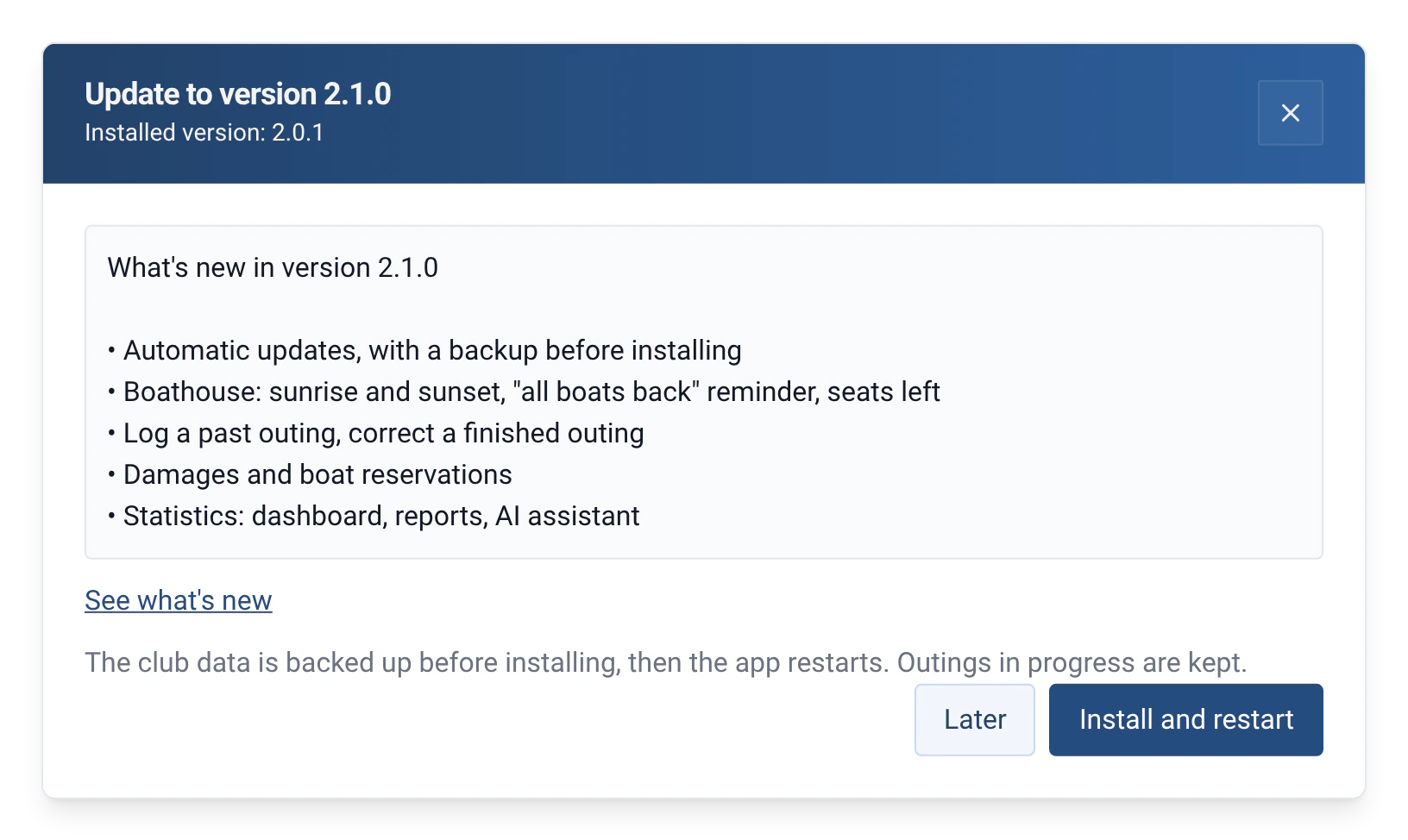
Automatic updates
At start-up, then every 6 hours, RowingBeacon looks for a new version and announces it with its release notes. Whoever runs the club starts the installation with the admin password, from the announcement or from Management › Miscellaneous settings. The club data is backed up just before installing, and outings in progress are kept. Without an internet connection nothing changes: the logbook keeps working offline.
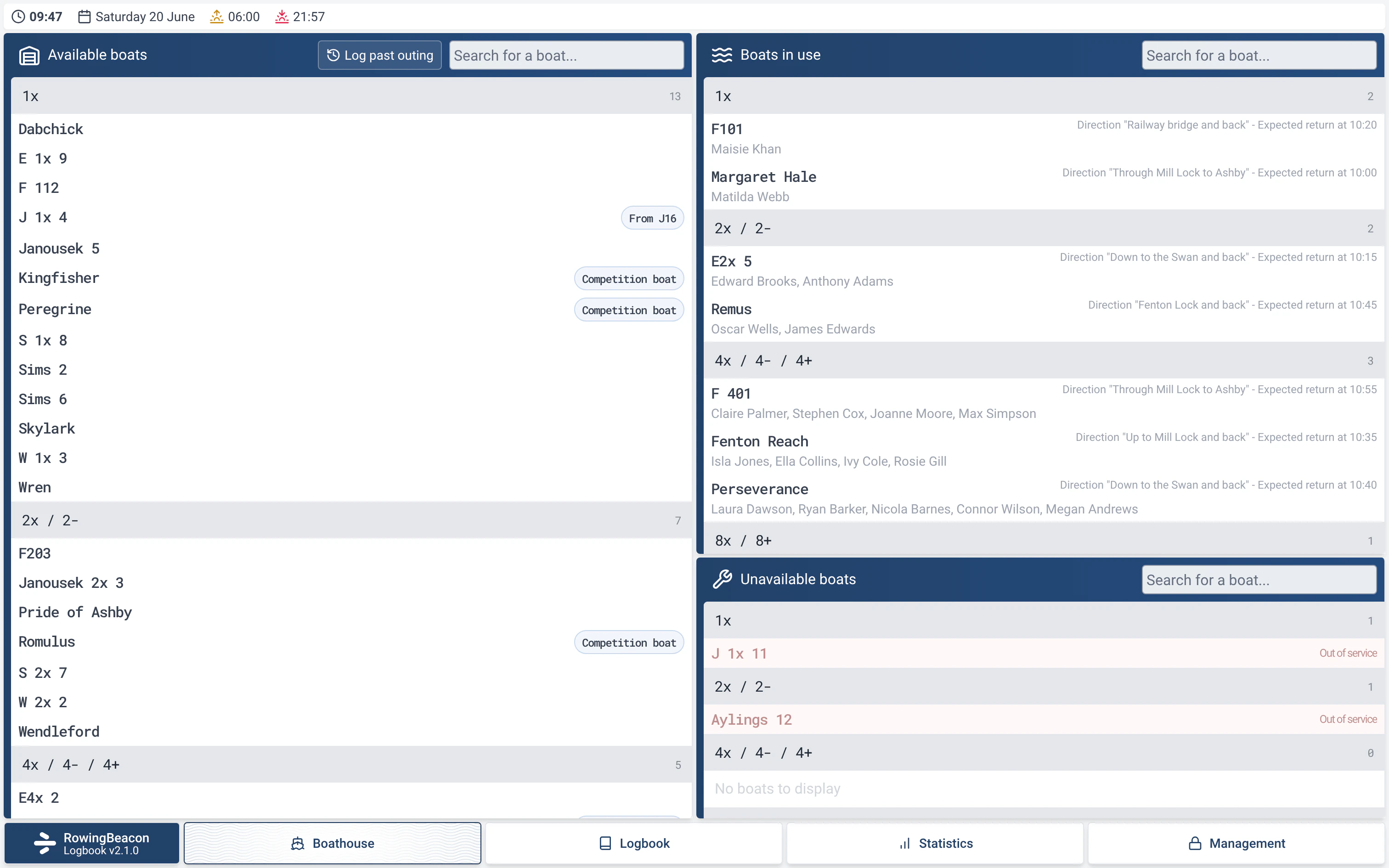
A fuller boathouse
The boathouse shows sunrise and sunset, with the number of outings still on the water when night falls. When the last boat is back, a message reminds you to close the boathouse. Unavailable boats stay visible in a separate list. At departure, the form shows how many seats are left in the crew.
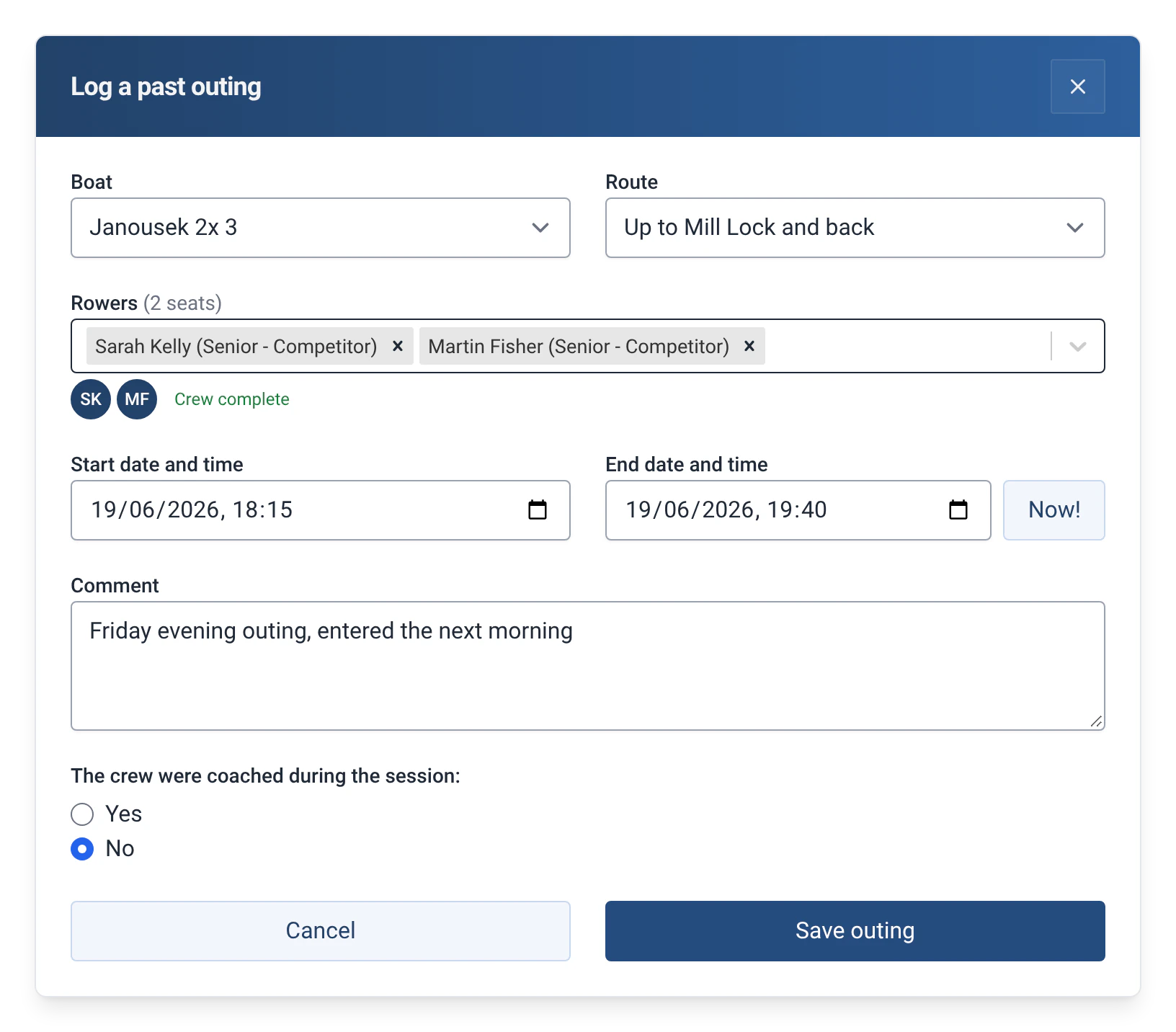
Entering and fixing past outings
Forgot an outing? The “Log past outing” button, in the boathouse and in the logbook, lets you enter it with its times. In the logbook, the pencil next to the bin fixes a finished outing (admin password); for an outing in progress, the “Edit outing” link is in the return window. Errors stop the outing from being saved, while plain warnings (number of rowers, overlapping times) allow “Save anyway”.
Read more: Entering and fixing past outings
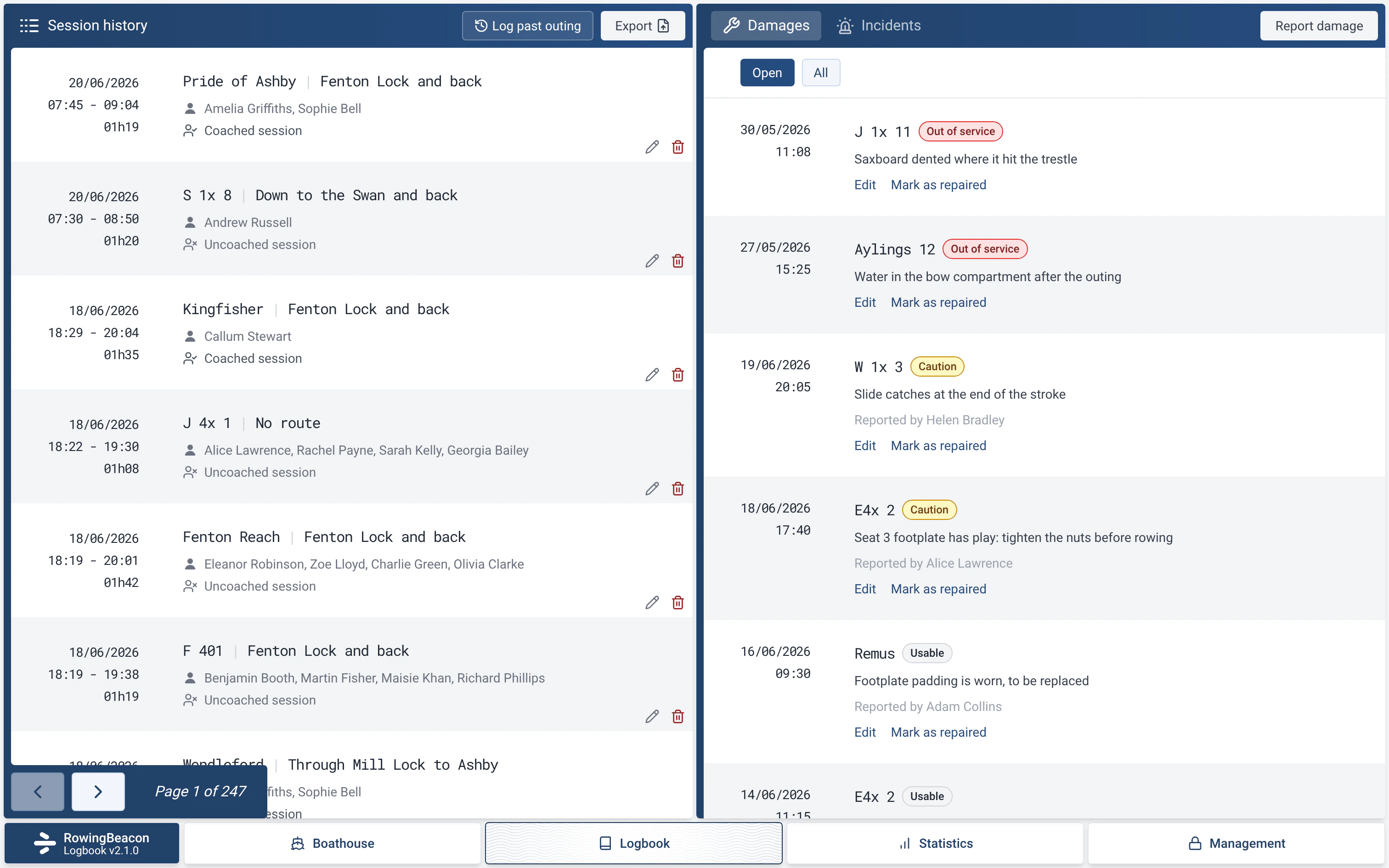
Damages
The Damages module, to switch on in Management › Modules, replaces the “in maintenance” tick box. You report damage with its severity (Usable, Caution or Out of service) and follow it until it is repaired. At departure, the crew sees a warning if the boat is damaged. Damages are imported from and exported to efa2.
Boat reservations
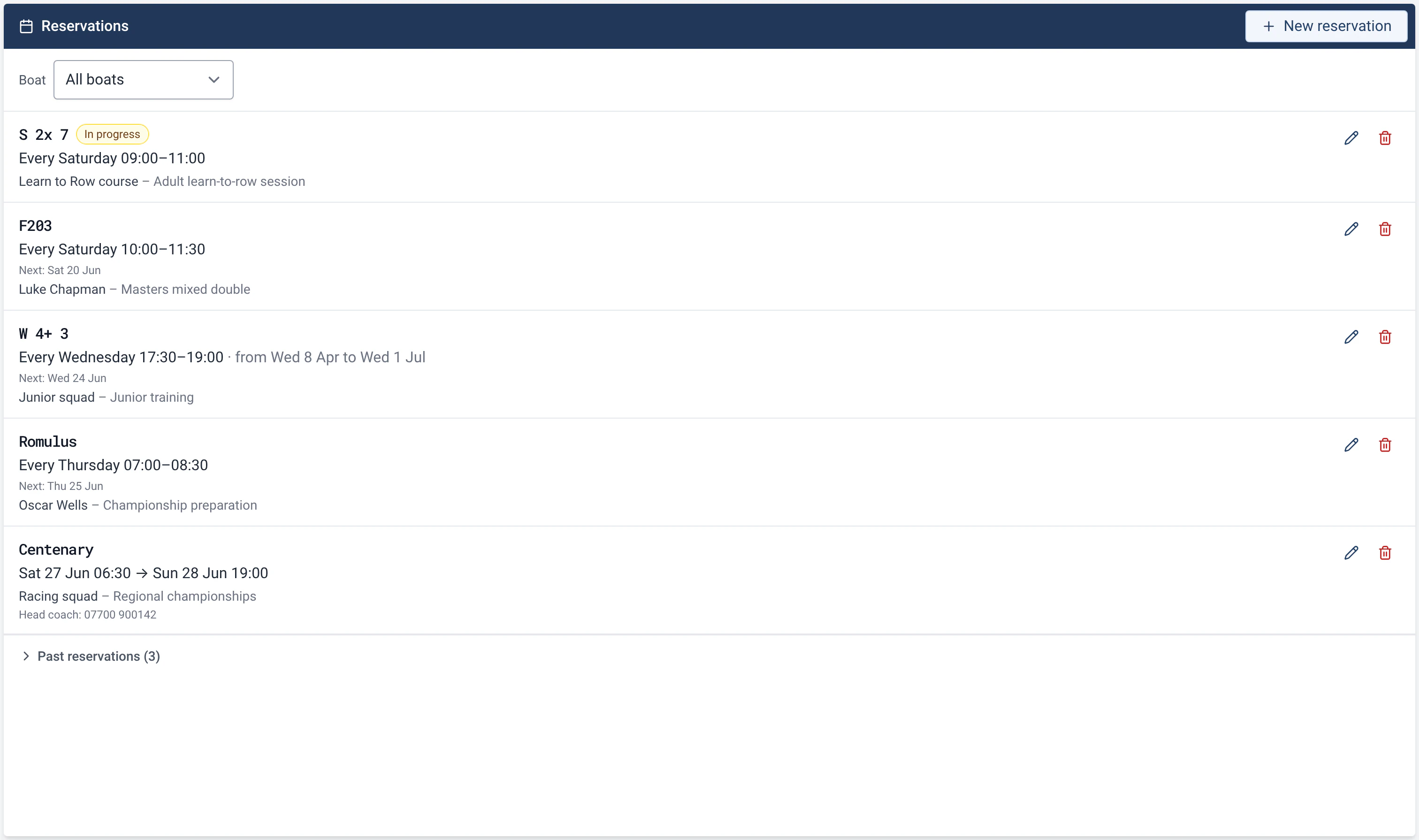
The Reservations module, to switch on in Management › Modules, keeps a boat free for a regatta, a course or a regular slot. A reservation is one-off, or weekly between two optional dates. In the boathouse the boat carries a “reserved” label and the crew is warned at departure, without the outing ever being blocked. Reservations are imported from and exported to efa2.
Statistics: a complete hub
The Statistics menu brings together four tabs: Dashboard, Reports, Annual report and Explorer.
A dashboard you can customise
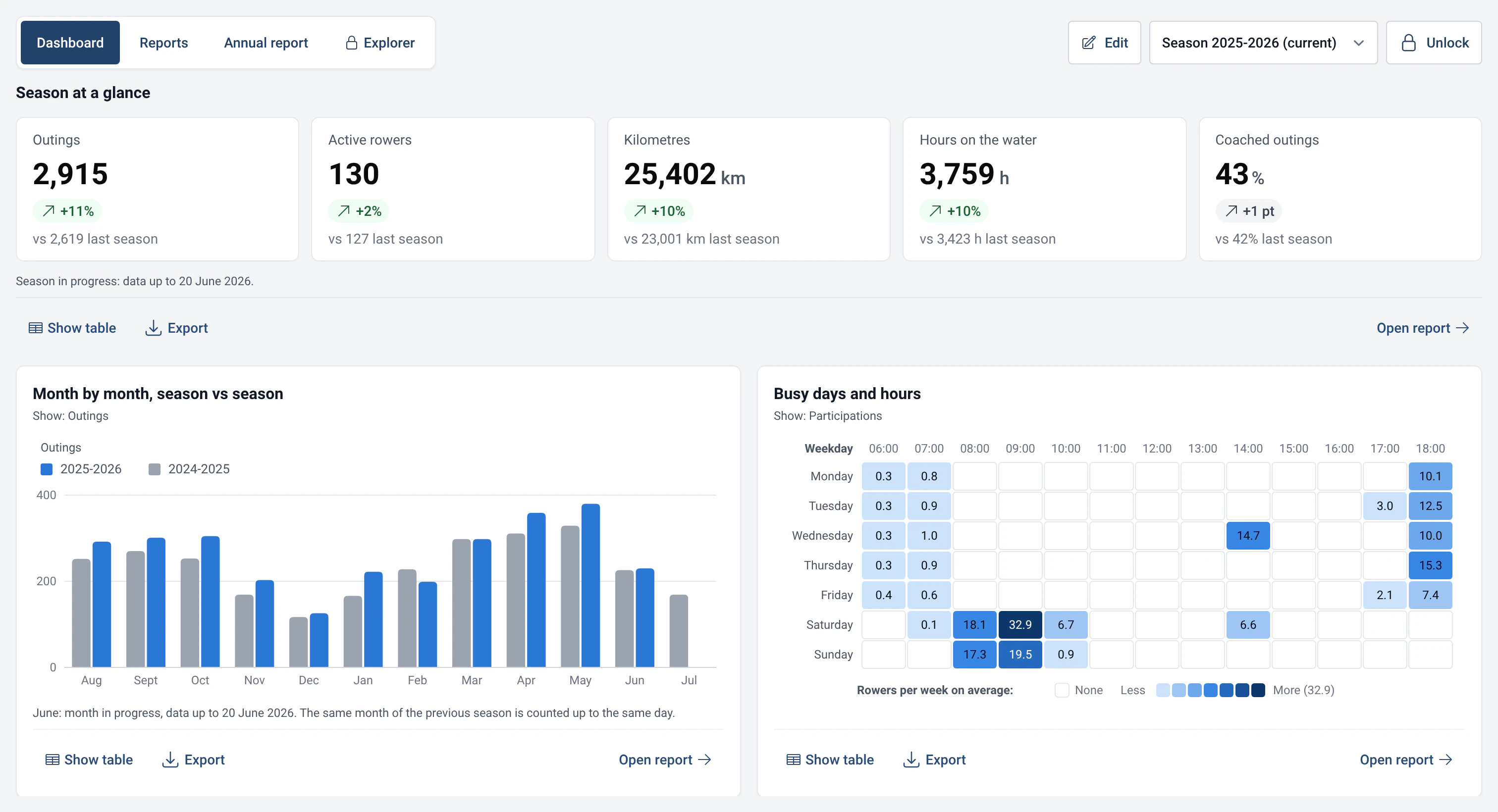
The dashboard opens on the season’s key figures, the comparison with the previous season, attendance and the ranking of boats. Unlock it to add, move, resize or remove cards, and any report can be pinned to it. The cards stay readable on the boathouse touchscreen.
Read more: A dashboard you can customise
29 ready-made reports
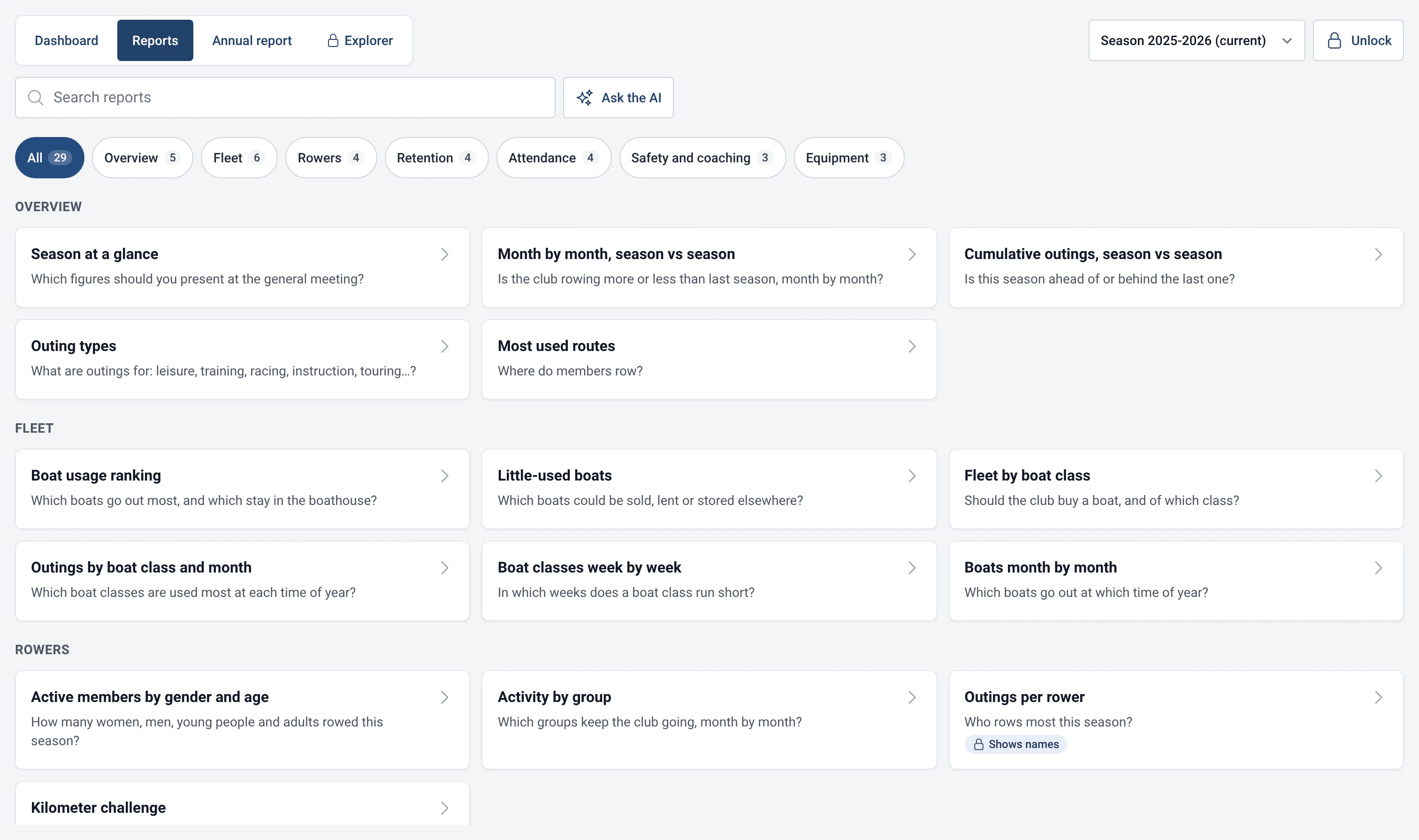
The 29 reports are sorted by theme and searchable: boat ranking, attendance by day and hour, season calendar, member retention, kilometre challenge and more. A report that names people stays locked until the password is entered. If a report depends on a module, such as Distances, it says which one to switch on.
Read more: 29 ready-made reports
A printable annual report
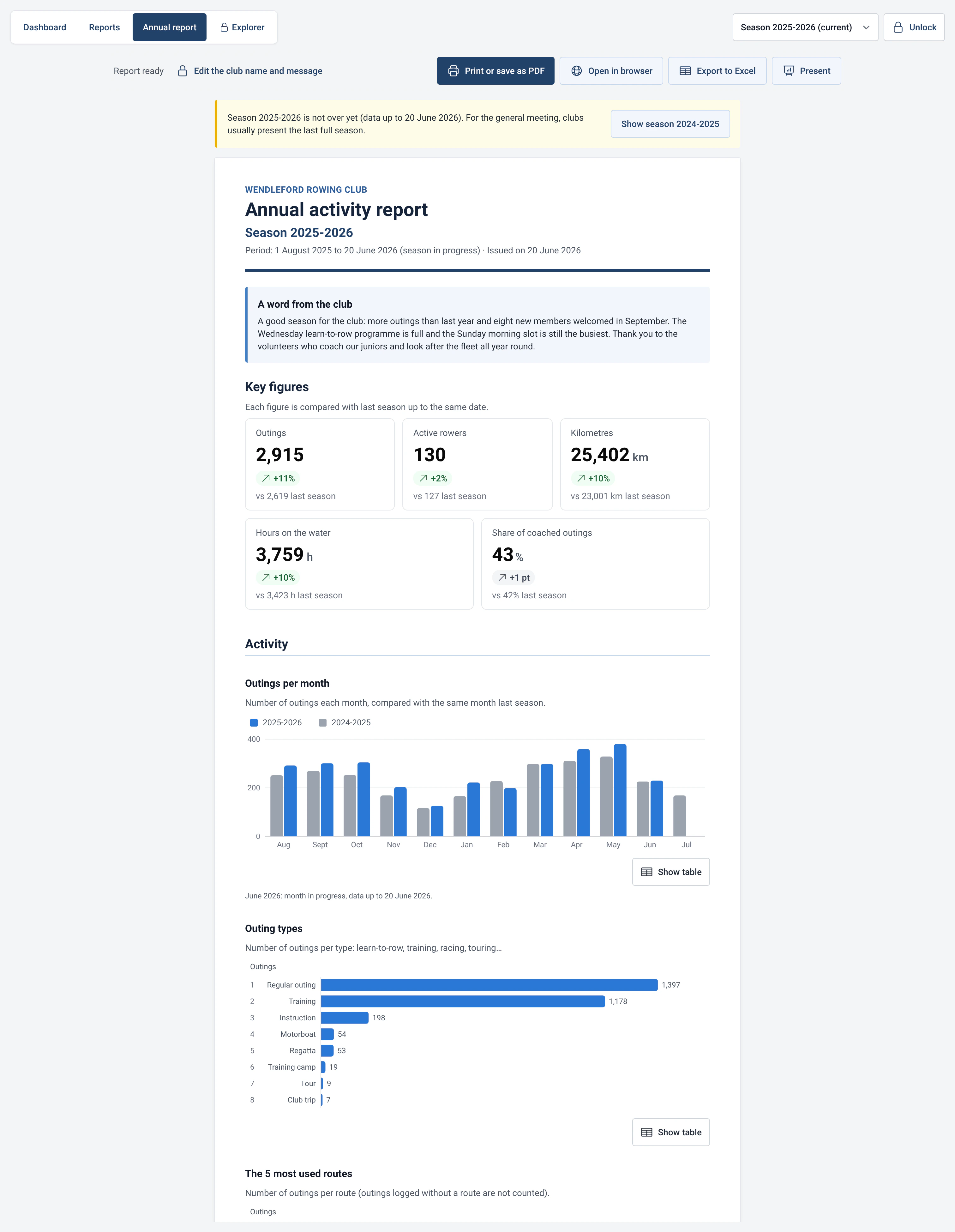
The annual report sums up the season: key figures, the comparison with the previous season and a word from the club that you write yourself. “Open in the browser” turns it into a page to print or save as a PDF. For the first season in the records there is no comparison, and the report says so.
Read more: A printable annual report
A read-only SQL explorer
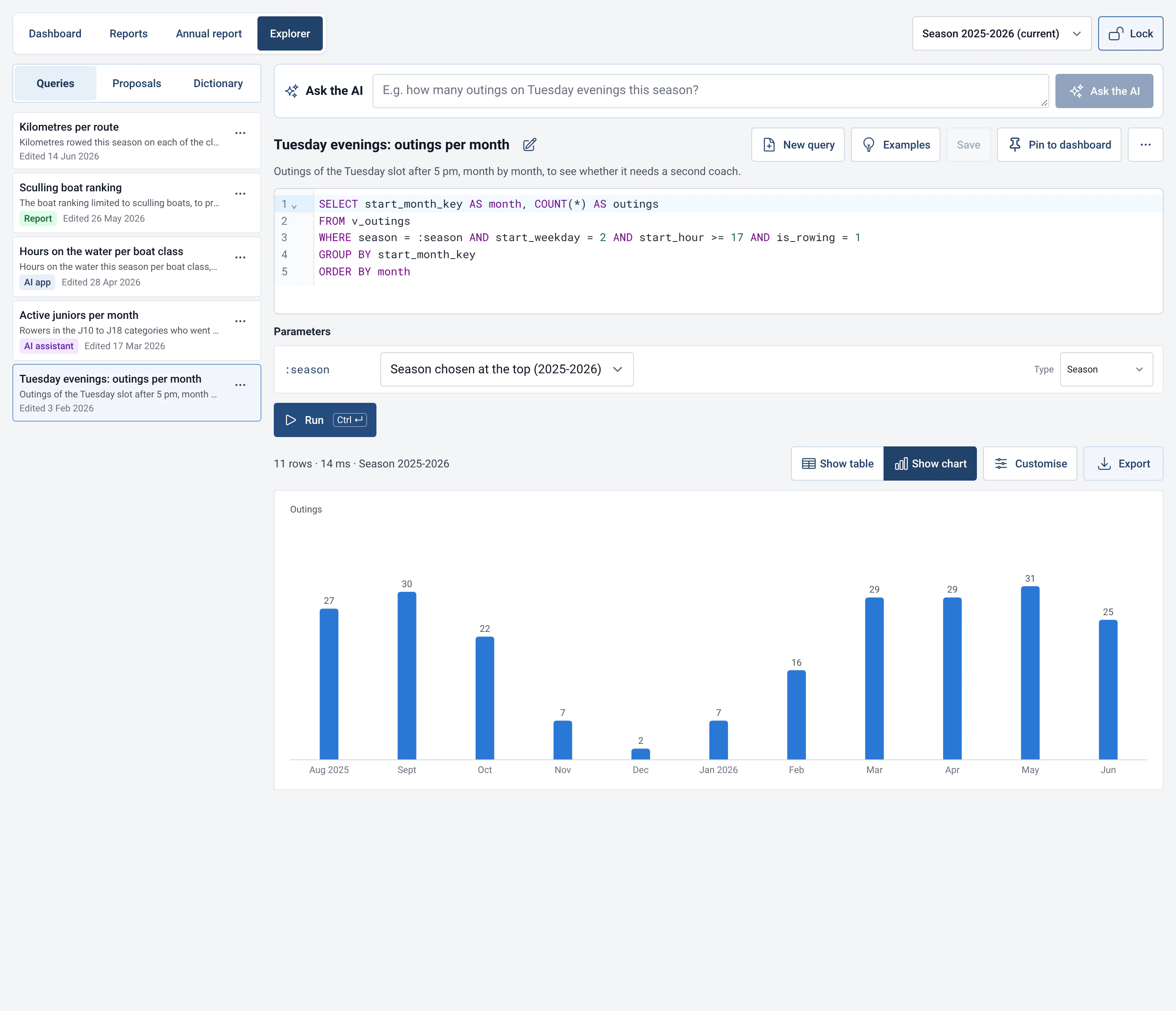
The Explorer tab lets you write your own SQL queries on the club data and turn the result into a table or a chart. It only reads: a query that would change data is refused, and a query that runs too long is stopped. Saved queries and a data dictionary help you get started.
Read more: A read-only SQL explorer
AI assistant and MCP server
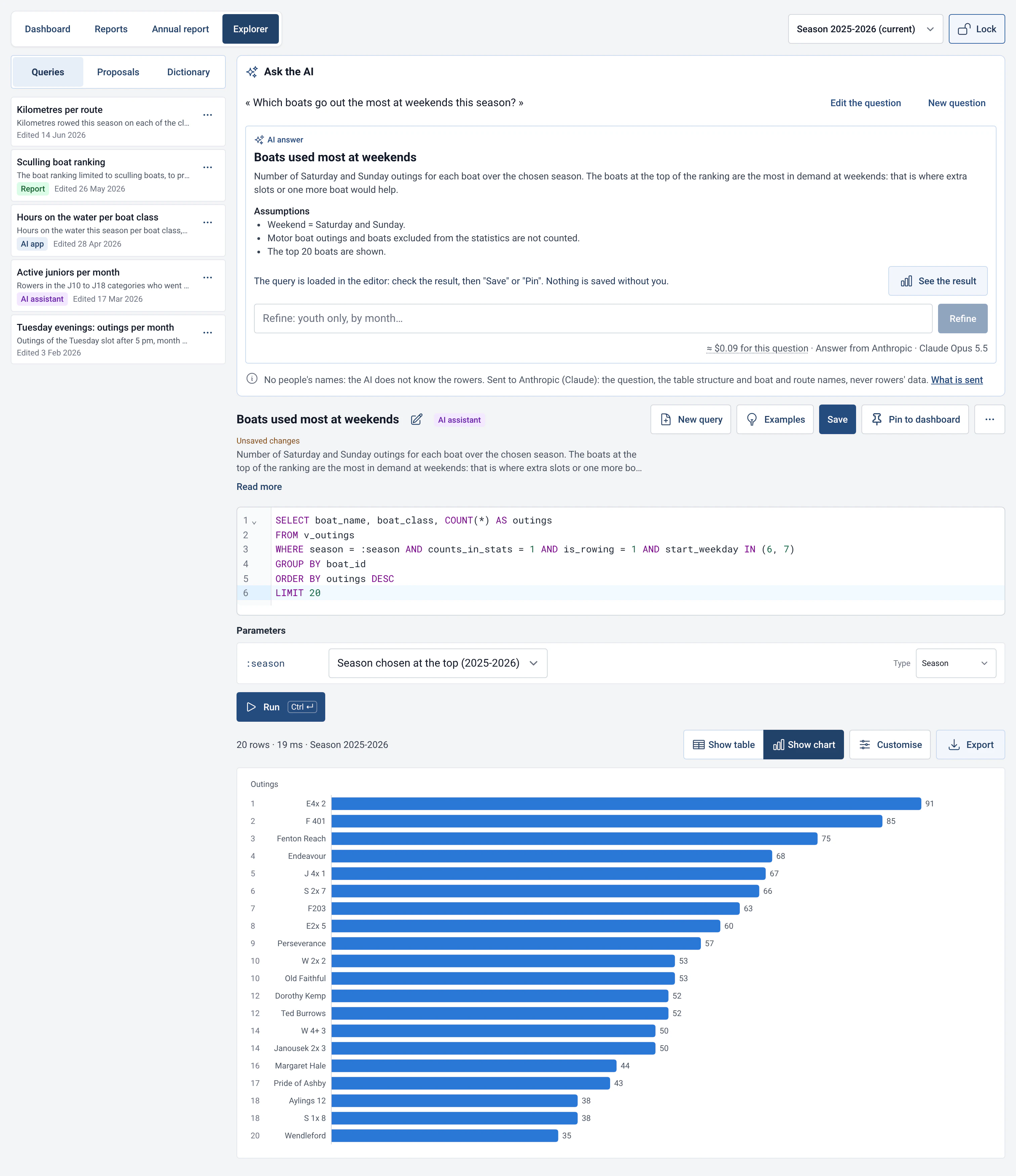
Ask a question in plain words: the assistant writes the SQL query, shows it and loads it into the Explorer. It works with Anthropic, OpenAI or a compatible service (Mistral, or a model on your own computer), and sends only the question and the structure of the tables, never rows from your database. The MCP server is off by default; it lets Claude Desktop or another assistant read your statistics, and its proposals wait for your approval in the app.
Read more: AI assistant and MCP server
Frequently asked questions
- How do I move from 2.0.1 to 2.1?
- Install 2.1.0 by hand once, from the download page. From then on RowingBeacon offers updates by itself and backs up the club data just before installing them.
- Is RowingBeacon 2.1 still free and offline?
- Yes. The data stays on the club’s computer. Only the search for updates and the optional AI assistant need the internet.
- Does the AI assistant see the club’s data?
- No. The built-in assistant sends the AI provider only the question and the structure of the tables, never rows from the database. The API key stays in the system keychain, never in the database or the backups. The MCP server is off by default; once it is on, the connected AI app reads the query results, with codes instead of names by default.
- Are damages and reservations compatible with efa2?
- Yes. Both modules import and export their data in the efa2 format, like the rest of the logbook.