
ContentsBoathouse sun times and reminder
At the pontoon
Boathouse sun times and reminder
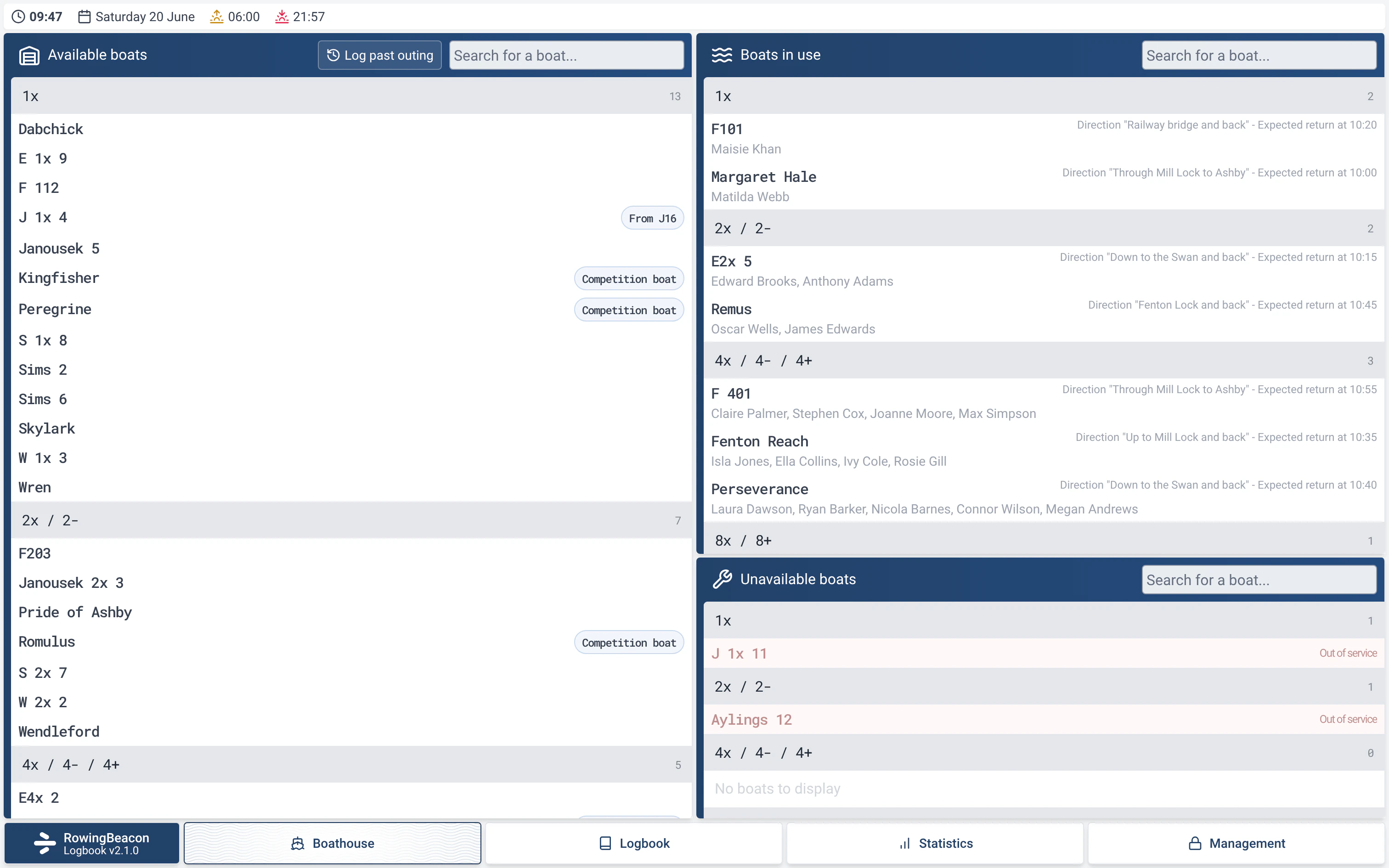
The boathouse screen shows the time, sunrise and sunset, unavailable boats, seats left at departure and a reminder to close up when the last boat is in.
- Where to find it
- Boathouse; settings in Management › Miscellaneous settings
- Available since
- version 2.1 (2026)
- Module to turn on
- None. The Damages module decides which boats are out of service.
What it is for
Let the pontoon screen answer the questions people ask before going out or locking up: what time is it, how long will it stay light, which boats will not be going out, and is anyone still on the water.
Everything is calculated on the club computer, with no Internet connection.
What the screen shows
- A strip at the top of the screen gives the time, the date and, if the club’s location has been entered, the sunrise and sunset times.
- When it is dark and boats are still on the water, the strip shows a yellow warning such as “3 outings still on the water in the dark”. It does so after midnight too, until the sun has risen. It counts as dark as soon as the sun has set, with no twilight allowance.
- Under the boats in use, the “Unavailable boats” list gathers the boats that are out of service, each with its reason. It only appears when there are some, and these boats cannot be taken.
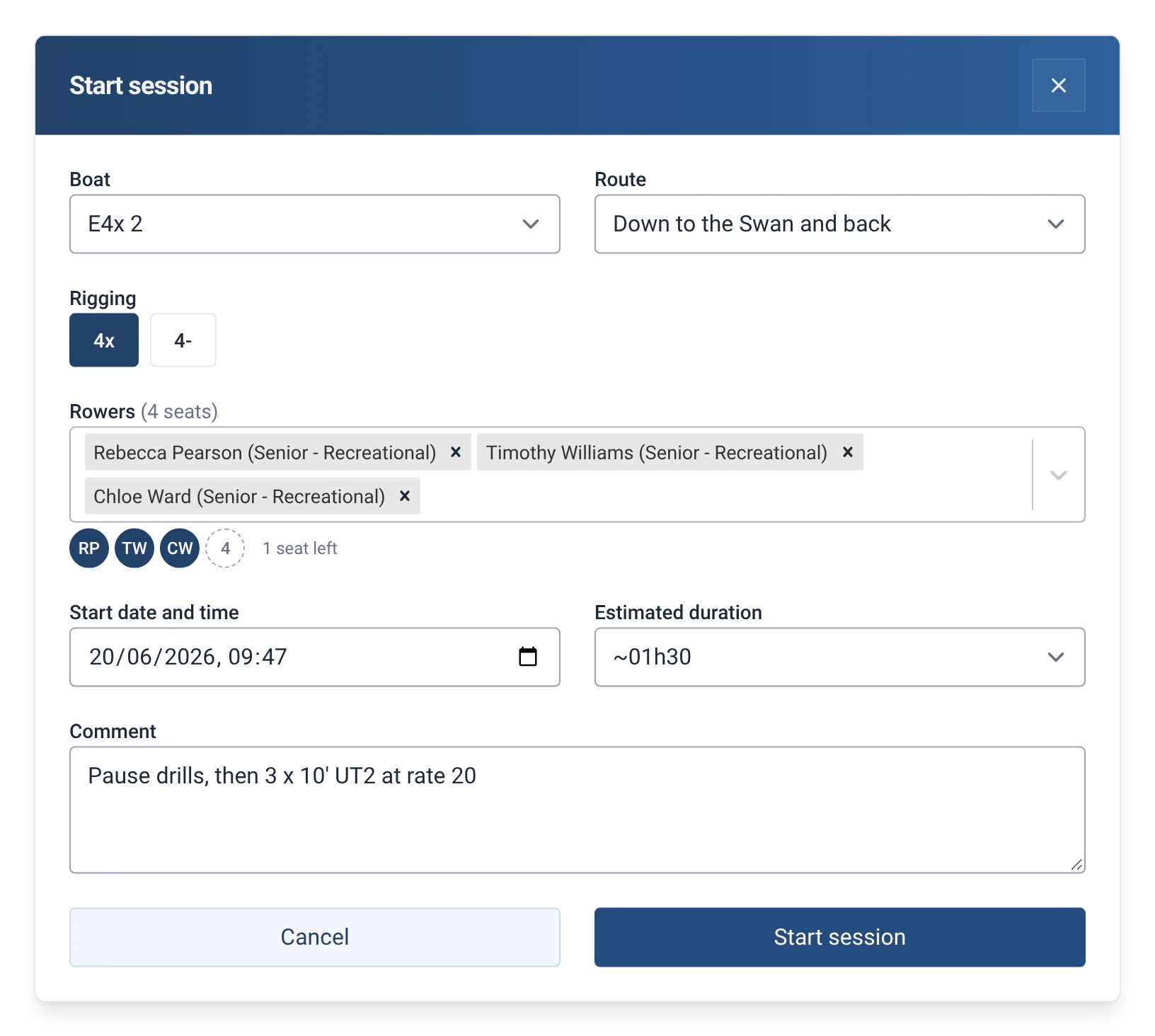
- At departure, under the list of rowers, one chip per rower and one dotted box per free seat show what is missing: “2 seats left · Cox missing”, “Crew complete” or “1 rower too many”. Guests are shown in yellow, the extra rower in red.
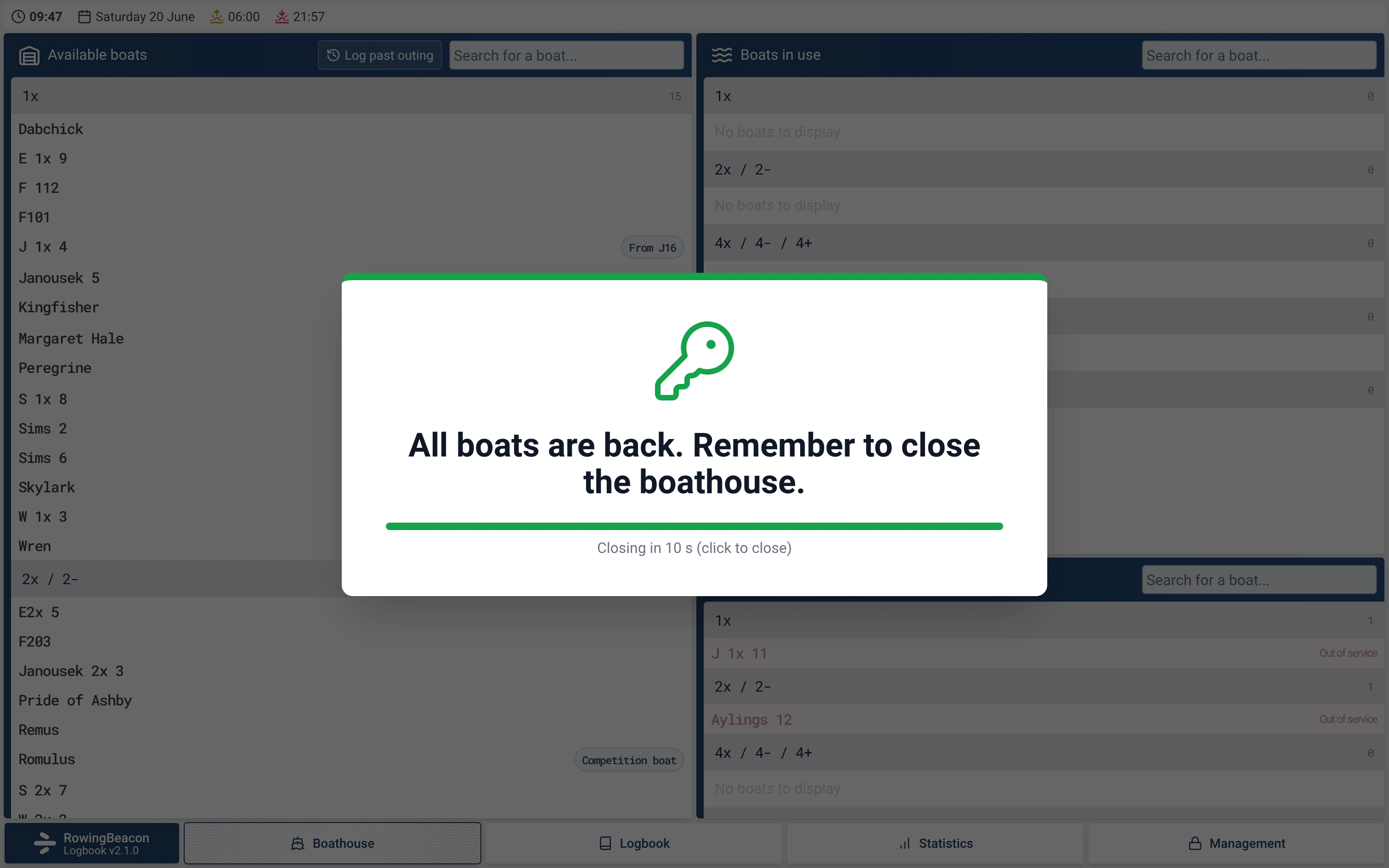
- When the last outing ends, a large reminder appears: “All boats are back. Remember to close the boathouse.” It closes with a click, from the keyboard, or by itself after 10 seconds.
How to use it
- Open Management › Miscellaneous settings, with the admin password, then the “Club location” section.
- Enter the club’s “Latitude” and “Longitude” in decimal degrees, for example 48.8566 and 2.3522. Leave the fields empty if you do not want the sun times shown.
- If a value is invalid, the app explains why (“latitude must be between -90 and 90, longitude between -180 and 180”) and keeps the previous location.
- In the “Boathouse closing reminder” section, tick or untick “Show the reminder when all boats are back”. It is ticked by default.
- At the pontoon there is nothing else to do: the strip, the list of unavailable boats and the seats left update by themselves. See Logging outings.
Settings
- Club location: latitude and longitude in decimal degrees. Without a location, the strip only shows the time and date, and the warning about the dark is not triggered.
- Boathouse closing reminder: on by default, can be switched off.
Limits and details
- Sunrise and sunset are calculated from the location and the date, on the club computer. No online service is consulted.
- The time follows the “Time format” chosen in the app, 12-hour or 24-hour.
- The reminder only appears when an outing ends: never when the app starts, nor when an outing is deleted.
- A boat that is out of service but already out stays in the list of boats in use. See Boat damage reports.
- The seats left are information only: they do not stop anyone going out. If the number of people does not match the boat, the app simply asks for confirmation.
- In a very narrow window, the sun times may be cut off at the right of the strip.