
ContentsPrintable annual report
For club officials
Printable annual report
The club’s annual activity report fits on a few pages to print or save as a PDF, with a word from the club, ready for the AGM.
- Where to find it
- Statistics › Annual report
- Available since
- version 2.1 (2026)
- Module to turn on
- None. Some sections are added by modules (kilometres, outing types, guests, damages).
What it is for
Prepare the season’s summary for the AGM, a grant application or the committee in a few minutes, without copying a single figure.
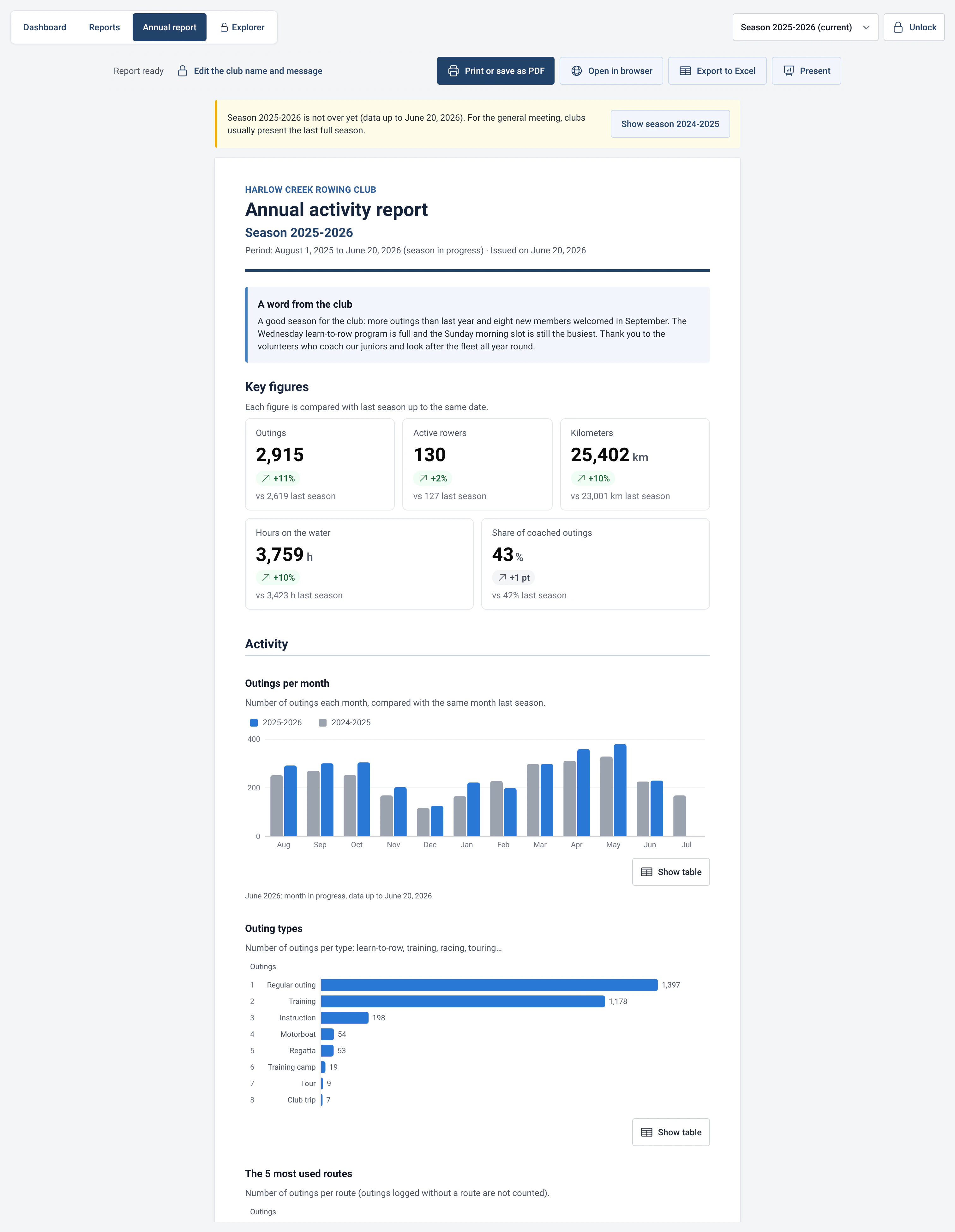
The report uses the figures of the chosen season, compares each one with the previous season up to the same date, and is read in four chapters: “Activity”, “Rowers”, “The fleet” and “Safety and equipment”.
What the report contains
- The key figures: outings, active rowers, kilometres, hours on the water and the share of coached outings.
- Outings and active rowers, month by month, compared with the previous season.
- Active members by age and gender (guests are not counted), fleet use by boat class, the most used boats and routes, outing types.
- Incidents and damage per boat, retention of new rowers and safety month by month.
- A section with no data this season is not printed, and the report says so: “No data this season, not printed: …”.
- A page of definitions and an appendix with the detailed figures.
How to use it
- Open Statistics › Annual report and choose the season at the top of the page. For the AGM, clubs usually present the last full season.
- If the chosen season is still in progress, a warning says so, with a button to show the previous season. The current months are counted up to today’s date.
- Click “Print or save as PDF”. In the print window, choose “Save as PDF” as the destination and untick “Headers and footers” for a clean result.
- “Open in browser” saves an HTML page in the Downloads folder and opens it. “Export to Excel” creates a workbook with a “Summary” sheet and one sheet per section. “Present” shows the report full screen, chapter by chapter, for projecting.
- With the admin password, “Edit the club name and message” lets you add the club’s name, its logo (PNG, JPEG or SVG, 200 KB at most) and a text of up to 2,000 characters for highlights, projects and thanks.
Limits and details
- First season: the report for the first season recorded in RowingBeacon has no previous season. The key figures appear without a comparison and a note explains: “First season recorded in Rowing Beacon: no comparison with last season.”
- For the first season on record, retention groups together all the members who were already there: it only becomes readable from the following season.
- When the club comes from another piece of software, import the history first (see efa2 compatibility): the report can then compare several seasons.
- The season start month is set in Management › Statistics and AI. It applies to the annual report as well as to the whole hub.
- The report ends with “Generated by Rowing Beacon from the club’s logbook.” Nothing is sent over the Internet to produce it.