
ContentsReporting an incident
At the pontoon
Reporting an incident
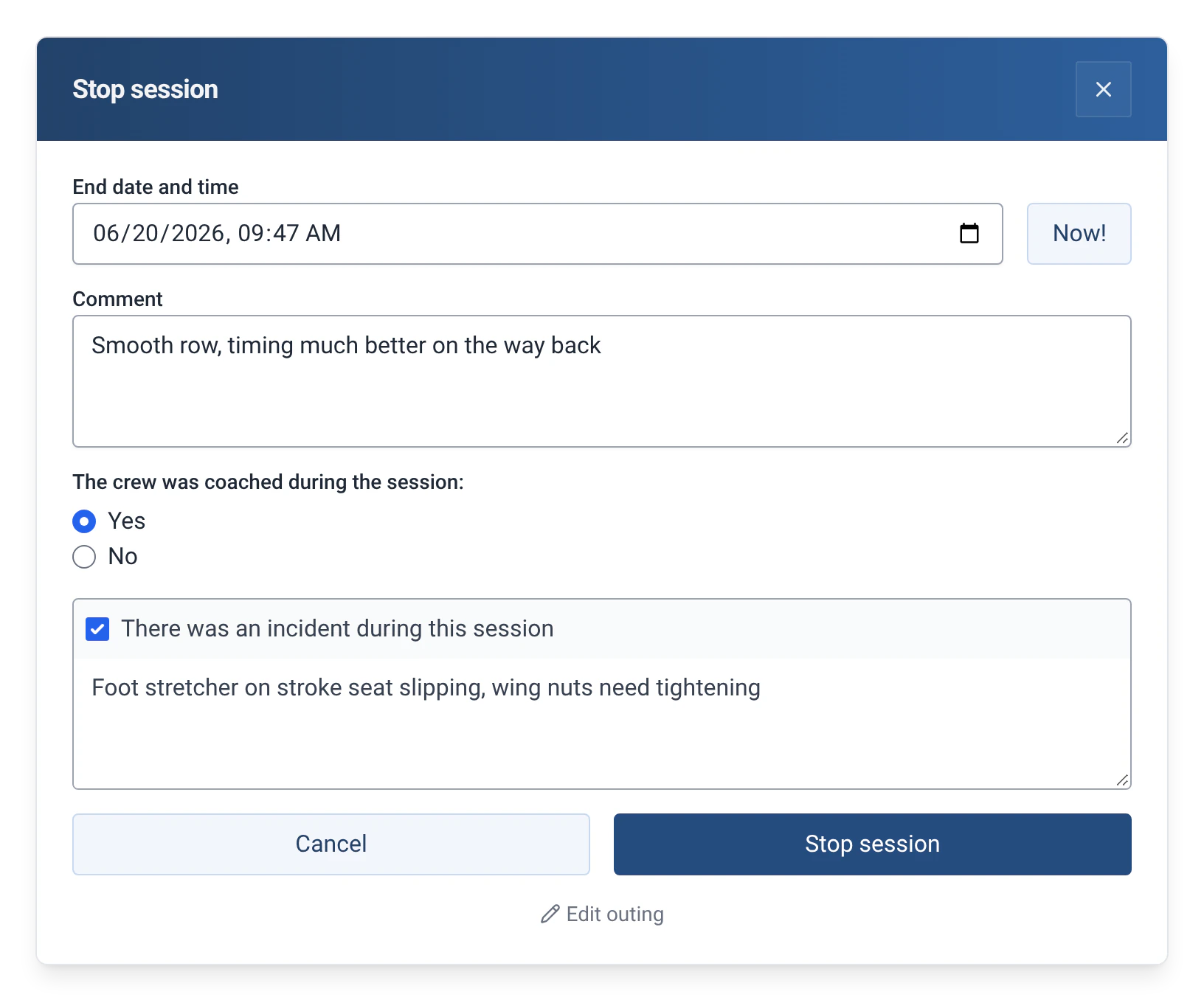
On return, the crew ticks a box and describes what happened. Officials find the incident in the logbook and can turn it into a damage report.
- Where to find it
- Boathouse › Stop session
- Available since
- v0.11 (November 2024)
- Module to turn on
- None
What it is for
Keep a record of a collision, a breakage or any problem that happened on the water, so that officials can find it and deal with it.
The report is made in the window that ends the outing: the crew has no separate form to fill in and nobody to tell.
How to use it
- In “Stop session”, tick “There was an incident during this session”.
- Describe what happened in the field that appears.
- Confirm with “Stop session”. The incident is saved with the outing.
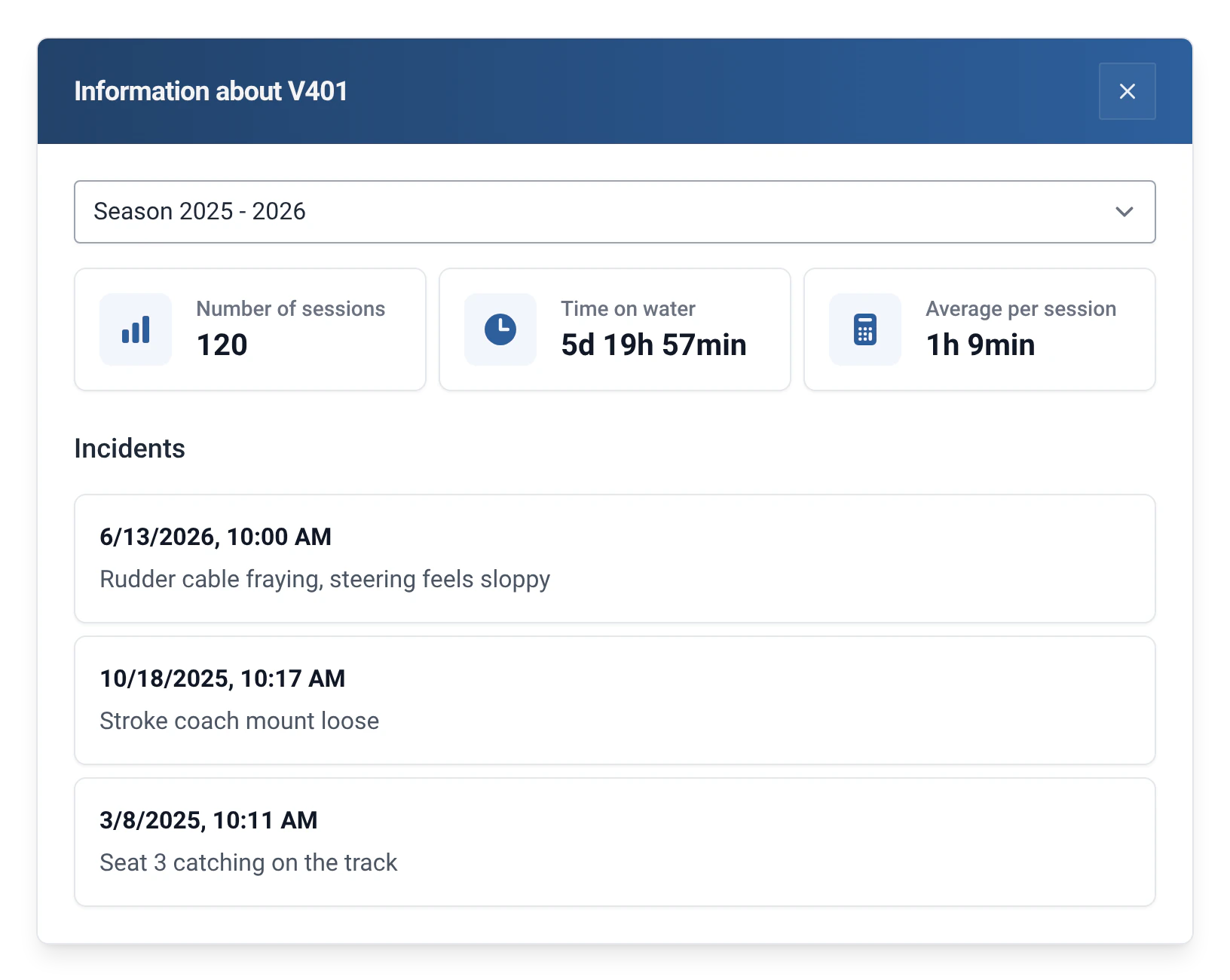
- Officials find it in the Logbook tab, to the right of the “Session history”: this is the “Incident history”, or the “Incidents” tab when the Damages module is on. They also find it in the boat’s statistics (Management › Boats).
- If the boat is damaged, the Damages module lets you say so straight away: tick “The boat is damaged” and choose the severity. See Boat damage reports.
Limits and details
- Incidents have appeared in the boat’s statistics since v1.14 (January 2025).
- An incident is an event reported when an outing ends. It is not the state of the boat: to follow damage through to its repair, use a damage report.
- In the “Incidents” tab, the “Report damage” button turns an incident into a damage report: the boat, the description and the date are carried over. See Boat damage reports.
- Damage reports from an efa2 project are imported as damage reports, not as incidents. See Switching from efa2, and back.
- The export in efa2 format does not include incidents, because efa2 has no equivalent. Damage reports are exported.