
Contents9 languages
The club computer
9 languages
French, English (5 variants), German, Italian and Dutch: each club chooses the language of its app on first launch.
- Where to find it
- First launch, then Management › Miscellaneous settings › Language
- Available since
- v1.20 (October 2025)
- Module to turn on
- None
What it is for
Let every club use the app in its own language.
How to use it
- On first launch, the “Select your language” screen offers the 9 languages and the time format.
- To change it later: Management › Miscellaneous settings › “Language”. The “Time format” (“12-hour format (AM/PM)” or “24-hour format”) is set in the same place.
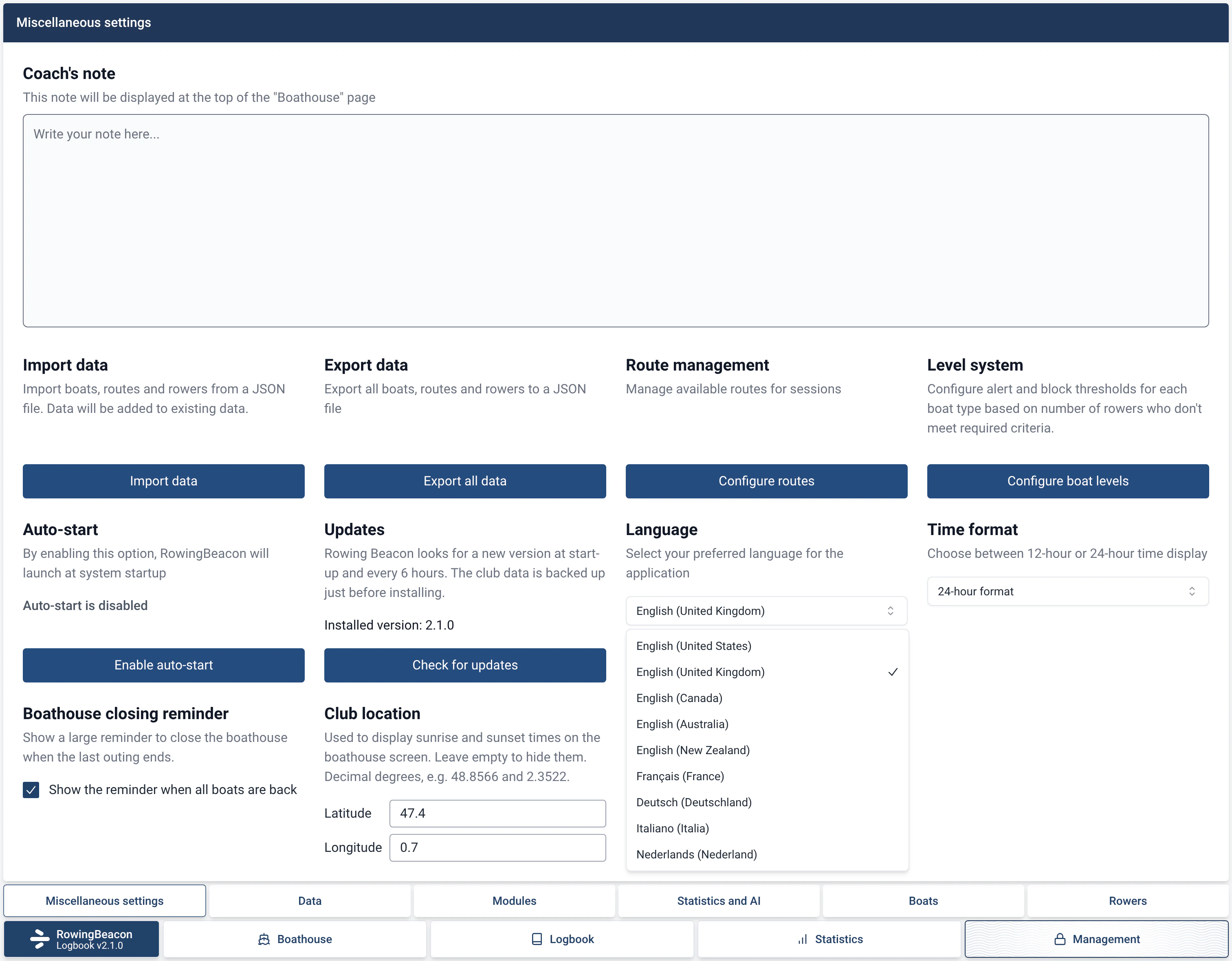
Available languages
| Language | Variants |
|---|---|
| French | France |
| English | United States, United Kingdom, Canada, Australia, New Zealand |
| German | Germany |
| Italian | Italy |
| Dutch | Netherlands |
Limits and details
- The language is chosen in the app; it does not follow the system’s.
- The Canadian, Australian and New Zealand variants use the British English texts.