
ContentsSwitching from efa2, and back
Your data
Switching from efa2, and back
Brings in a complete efa2 project, with its outings, damage reports and reservations, without retyping anything, and can hand it back to efa2.
- Where to find it
- First launch › I’m coming from efa or Management › Data › efa2
- Available since
- v2.0 (October 2026)
- Module to turn on
- None
What it is for
efa2 is the tool that inspired RowingBeacon. RowingBeacon can take over its data, damage reports and reservations included, and give it back.
A club can therefore change software without losing its history, return to efa2, or use both side by side.
How to use it
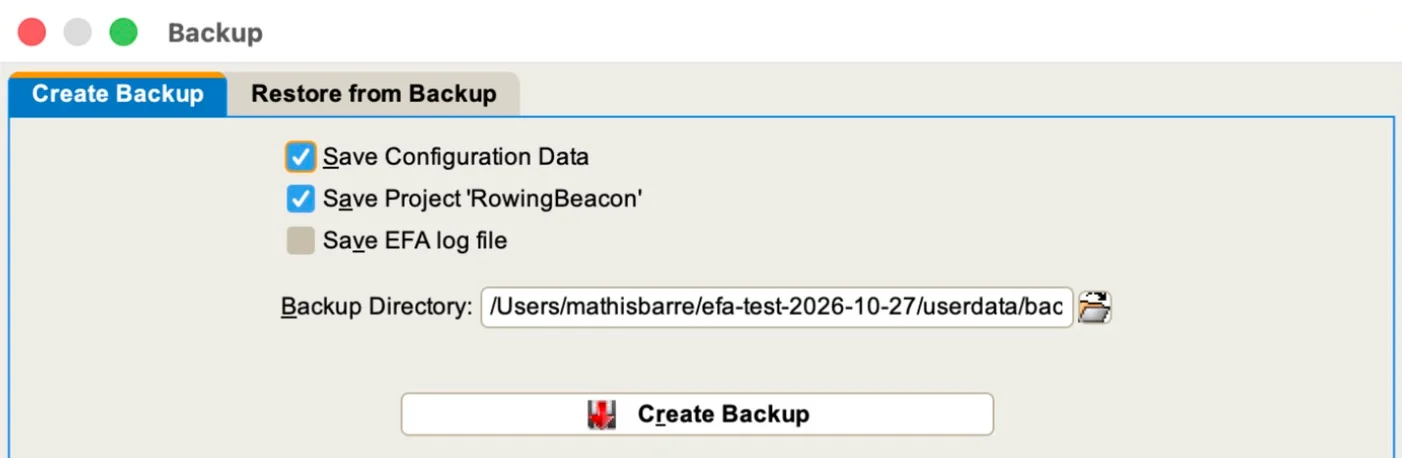
- In efa: Backups › “Create Backup”.
- Install RowingBeacon, on Windows or Linux. See Installation in minutes.
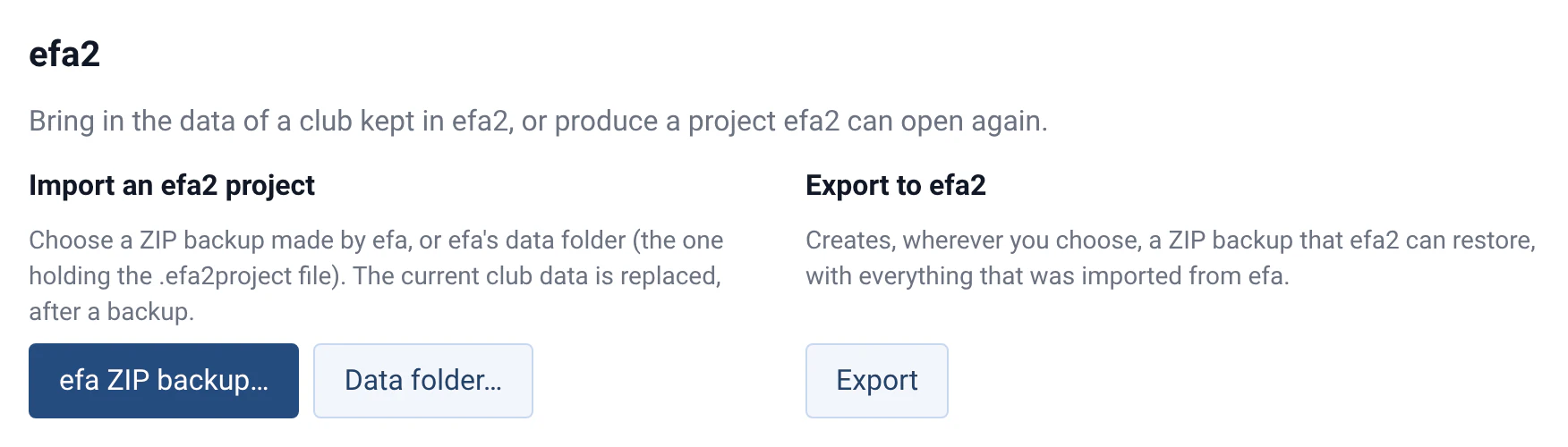
- On first launch, choose the “I’m coming from efa” profile, then “efa ZIP backup…”. efa’s “Data folder…”, the one that holds the
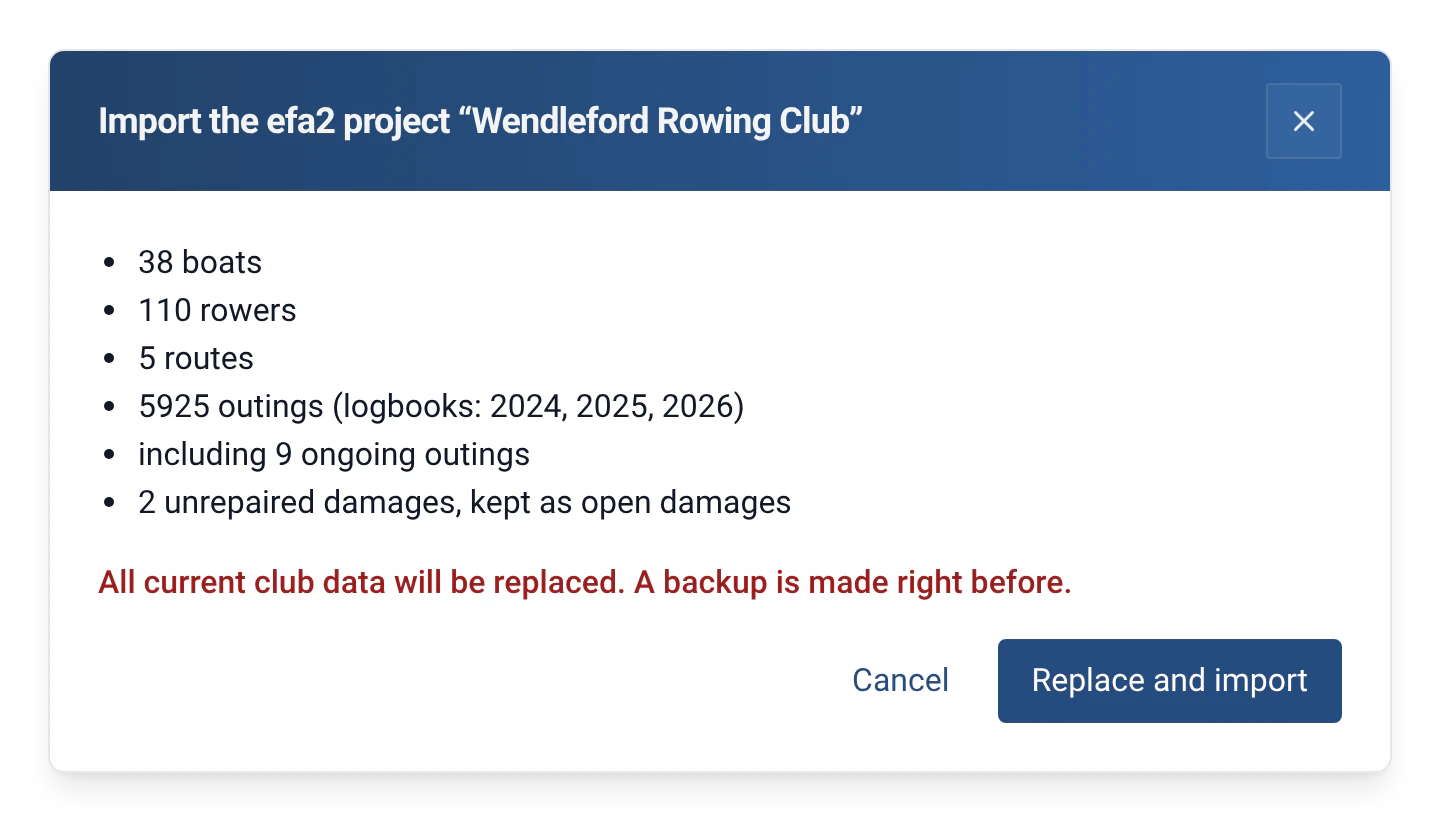
.efa2projectfile, works too. - Check the numbers shown in the preview, then click “Import and start”. On a computer that is already in use, the import is done in Management › Data › “Import an efa2 project”, with the “Replace and import” button.
- To go back to efa2: Management › Data › “Export to efa2” creates, wherever you choose, a ZIP backup that efa2 can restore.
What comes across
| In efa2 | In RowingBeacon |
|---|---|
| Boats, with their variants | Boats, with their riggings (4x / 4-) |
| External boats | Archived boats |
| Persons | Rowers |
| Destinations | Routes, with their distance |
| All the logbooks | A single history; each outing keeps its original logbook |
| Outings in progress | Outings in progress |
| Damage reports, with their severity, repaired or not | Open or repaired damage reports, in each boat’s history. They are exported again with their severity, see Boat damage reports |
| Unavailable boats | Out-of-service boats, with their reason. An out-of-service boat with no damage is exported again as unavailable |
| Free-text names | Guests |
| Boat reservations | Reservations in the Reservations module, exported back to efa2, see Boat reservations |
| Messages, standard crews, waters, outing groups, club work, DRV badges, saved statistics, damage reports of an unknown boat | Kept without a screen, and written back when exporting to efa2 |
Limits and details
- The import replaces all the club’s current data. A backup is made just before; if it fails, the import is cancelled.
- efa is not modified by the import.
- The modules whose data the project contains are turned on by the import, for example Damages and Reservations.
- Only efa 2.x projects are read. The round trip has been checked with efa 2.5.3.
- The two programs do not synchronise: each move from one to the other goes through a backup.
- When exporting to efa2, incidents are not carried over, nor are rowers beyond 24, nor cox beyond the first. Damage reports and reservations are.
- Reservations made in efa2 for the whole day are kept and exported again, but they are not shown in RowingBeacon.
- A project with no boats or no persons is refused, so that the club’s data is not erased.
- The full guide, with all the limits: Migrating from efa2.